

Telegram is an independently-owned messaging app that provides enhanced encryption and privacy measures. It has grown in popularity in recent months, and one of its most well-liked and unique features is that users have the ability to create and share their own stickers, no matter how weird they may be.
In this guide, we’ll show you how you can make your own Telegram sticker pack to share with your friends.
Step 1: Design the Stickers
For this step, you’re going to require some kind of image editing software. Don’t worry if you’re not a master graphic designer — creating stickers for Telegram is incredibly easy. Many stickers are hilariously simple meme-type images created from free stock photography and random quotes.
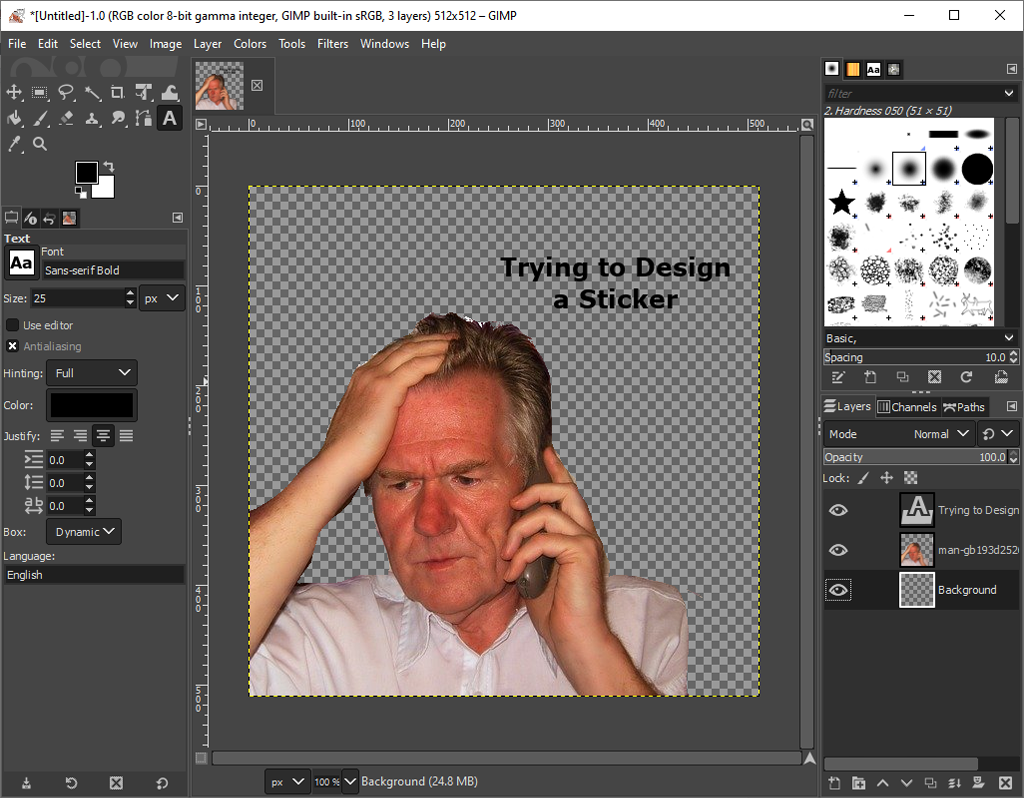
There are a few requirements for each sticker, though. Telegram stickers must:
- Be a separate image file in WEBP or PNG format
- Have a transparent background
- Be 512 x 512 pixels
Several image editing applications will allow you to create Telegram stickers, including Adobe Photoshop (paid), GIMP (free), and SVG-edit (web-based and free). For this tutorial, we’ll use GIMP.
To create your images:
- Open GIMP, select File and select New.

- Under Image Size, type 512 for both Width and Height.
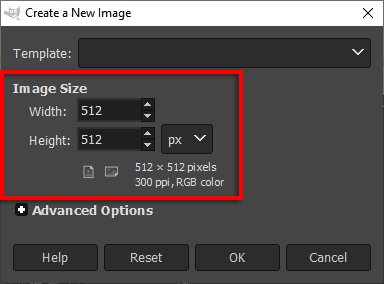
- Select Advanced Options to open the hidden menu.

- Select the Fill with dropdown menu and select Transparency.

- Select OK.
- Import your images and design your sticker.
Note: You need to make the background of your image transparent. Here’s how to do so with GIMP and Photoshop.
- Once your sticker is completed, select File > Export As.
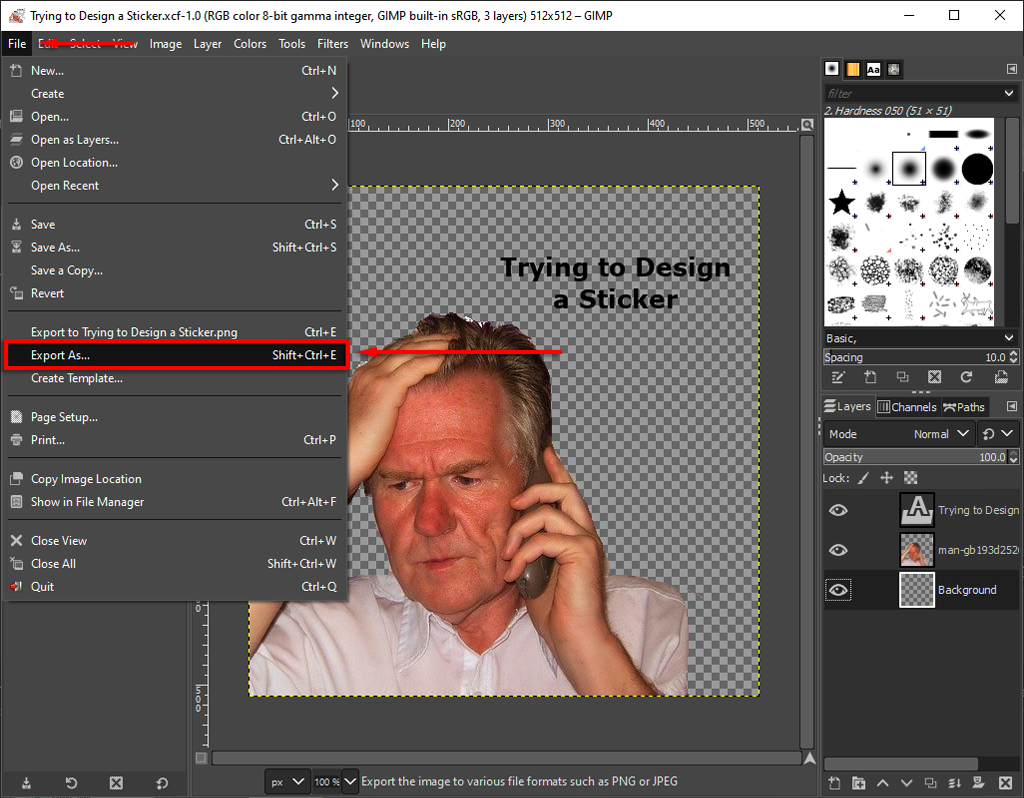
- Under Select File Type make sure that PNG is selected then select Export.

- Repeat this as many times as you like. Sticker packs usually have 10-20 stickers, but can have far more — there’s no limit.
Keep in mind that certain quotes and images will be copyrighted, meaning that if you use them in your stickers and Telegram finds out, your sticker will be removed. Stick with free stock images from websites like Pexels or Freepik.
Step 2: Using the Telegram Sticker Bot to Create Your Pack
The next step is to upload your stickers and create the sticker pack. You can do this on either your Android/iPhone or desktop via the Telegram app, though Telegram recommends using the desktop version.
To create your pack:
- Open Telegram.

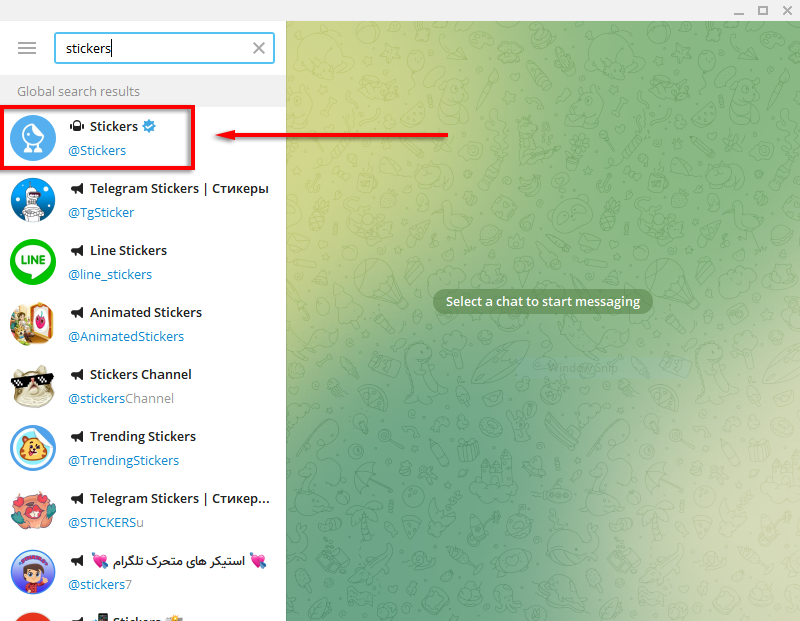
- In the app, type Stickers into the search field in the top-left. (In the app, select the Magnifying Glass icon in the top-right corner of the window then type Stickers).
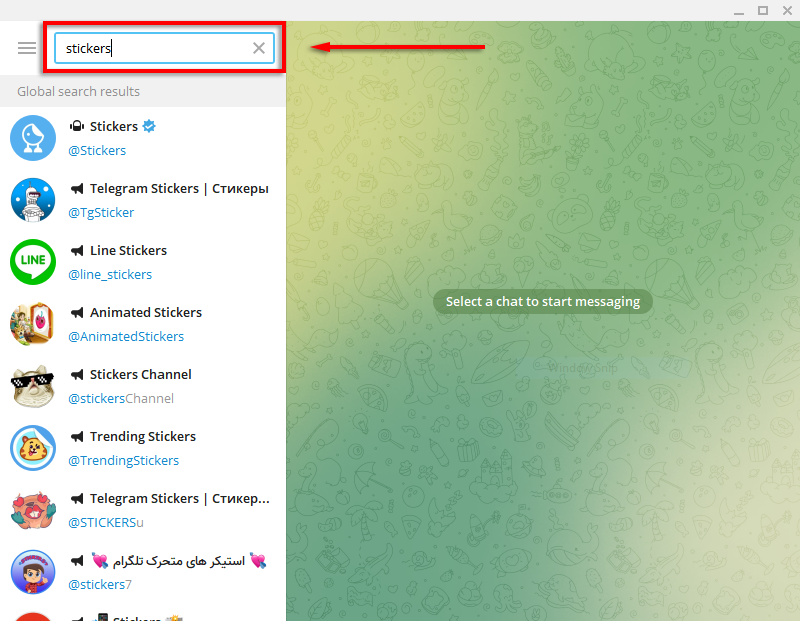
- Select the Stickers bot to begin a conversation with it. It will display a list of commands, the most important being /newpack and /addsticker.
- Type /newpack and press Enter.
- Type in a short name for your sticker pack and press Enter again. The bot will ask you to upload your sticker.

- Drag and drop your PNG file into the chat window.

- Send an emoji that relates to the sticker. Congratulations, you’ve now uploaded your first sticker.

- Repeat these steps for each sticker. Once you’re done, type /publish to finalize your sticker pack. You will now be able to upload a 100 x 100-pixel PNG image as an icon for the sticker pack. You can upload this image in the same way as above or simply skip this step by typing /skip.
- Finally, add a name that people can find your sticker pack by and you’re done. The URL by which you can share the Telegram sticker pack will include that name.

That’s it! You’ve now created your very own sticker pack.
Telegram lets you come back and add or remove stickers to any existing pack as you desire, so don’t worry if you plan to add more later. Another cool feature is that Telegram gives you usage stats for how often your sticker pack is used.
Once the pack is created, anyone you share it with will be able to begin using those stickers. But, keep in mind that any sticker packs that you upload will be publicly visible, so avoid uploading stickers that contain anything you don’t want people to see.
Where to Download Free Sticker Packs
If you don’t want to go to the trouble of creating your own sticker packs, plenty of people have already done the work for you.
To find free sticker packs:
- Open Telegram and open a conversation from the left-hand panel.

- Hover over the Smiley Face icon.
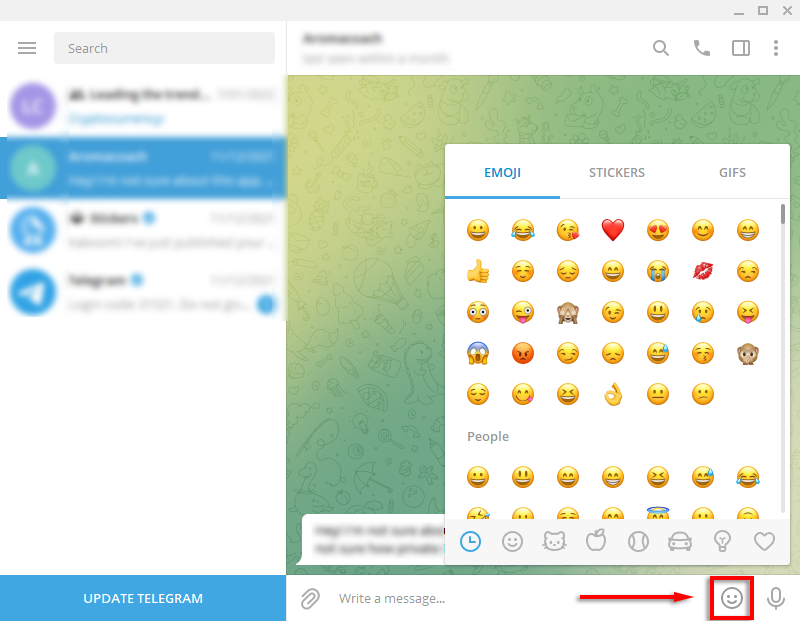
- Tap the Stickers tab.

- Click the search icon at the bottom-left of the window, then search for a sticker pack.

- When you see a pack you like, click Add to download that sticker pack.

Telegram: Packed With Features
The ability to create and share your own custom stickers is just one of the many features that are making users switch to Telegram. From chat folders and personal cloud storage to high-quality images and personal bot assistants, Telegram might be the next big app in messaging.
Have you designed any top stickers on Telegram? Let us know in the comments below.