
You’ll either love or hate the idea of livestreaming on social media, but you can’t deny that the future of video is tied to this format. Live streams are entertaining and thus extremely popular with the average social media audience.
You must have come across a few live streams and wondered if you could go live on TikTok as well. Here’s everything you need to know about going live on TikTok, as well as a few tips to make sure your first live stream is not a disaster.
What Do You Need to Go Live on TikTok?
TikTok Live is a service within the TIkTok app that allows users to interact with content creators on TikTok in real time. TikTok doesn’t give an option to go live to just any user and that’s a part of the appeal.
Before you try and start your livestream on TikTok, make sure you meet all the requirements below.
- You must be at least 16 years old to use TikTok Live. Users over 18 can receive virtual gifts during a Live session. Gifts are in-app incentives that you can send and receive on TikTok. Users purchase virtual gifts to reward their favorite hosts and content creators.
- As a host, you can then convert your gifts into Diamonds and exchange them for real money. However, the exchange rate is rather low. The minimum age for having an account on TikTok is 13.
- You must follow TikTok’s Community Guidelines and Terms of Service.
- Unlike Instagram or Facebook, where the number of followers isn’t an issue, on TikTok you must have at least 1000 followers before you can go Live.
How to Go Live on TikTok
If you match the criteria from above, you can go Live on TikTok. To start your first livestream on TikTok right from your phone, follow the steps below.
- Open the TikTok app and log into your account.
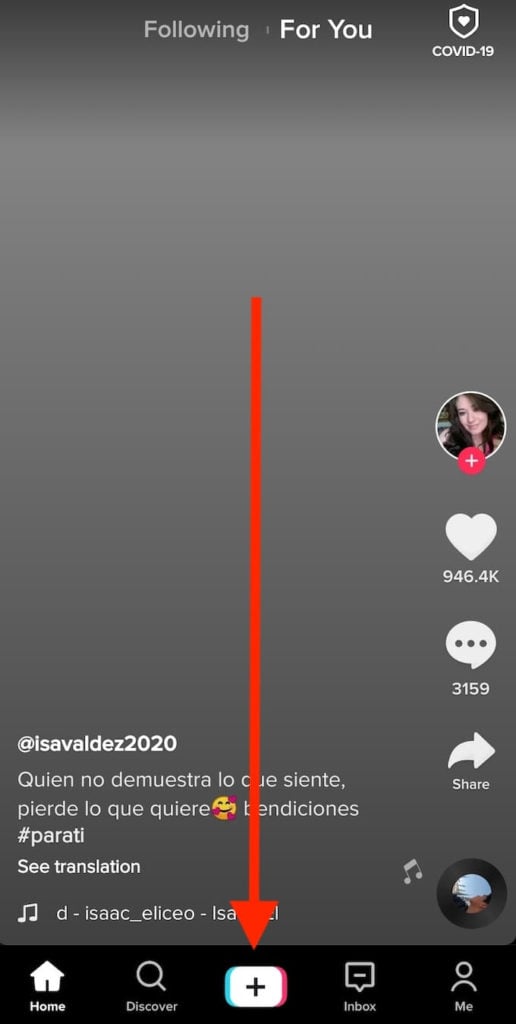
- Locate the Plus icon at the bottom of your screen and select Tap to create a new video.
- Swipe left until you see the option that says Live.
- Like with any other TikTok video upload, you’ll have the option to add a title and apply filters before you begin.
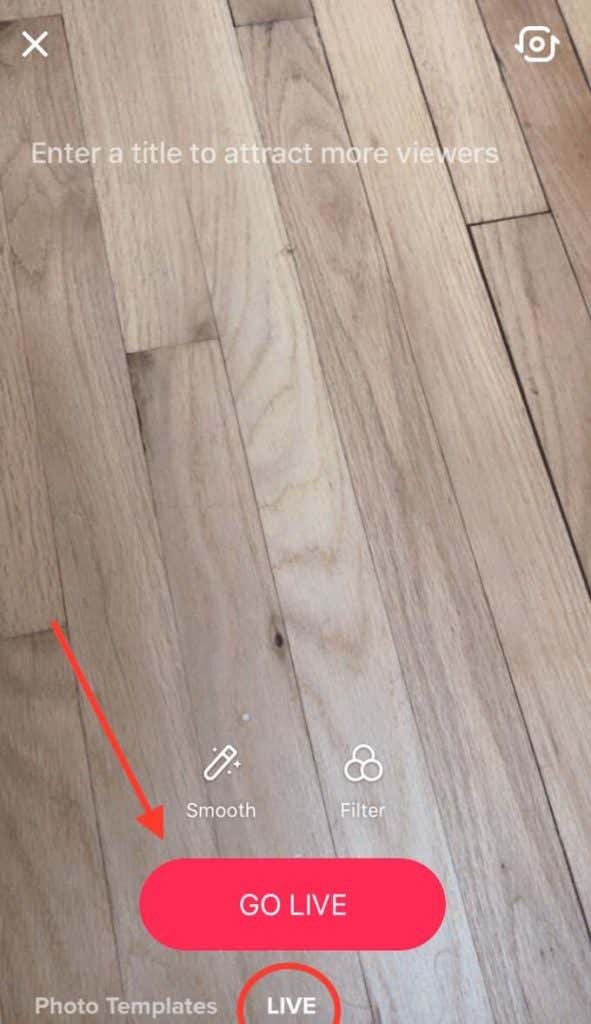
- When you’re ready, select Go Live. Now you can start interacting with your followers in real time.
How to Troubleshoot TikTok Live
If you meet the TikTok Live criteria but still can’t locate the Live button on your account, you can troubleshoot it by contacting the TikTok Support. If you’re experiencing issues with going Live on TikTok, follow the steps below to fix them.
- Open the TikTok app and log into your account.
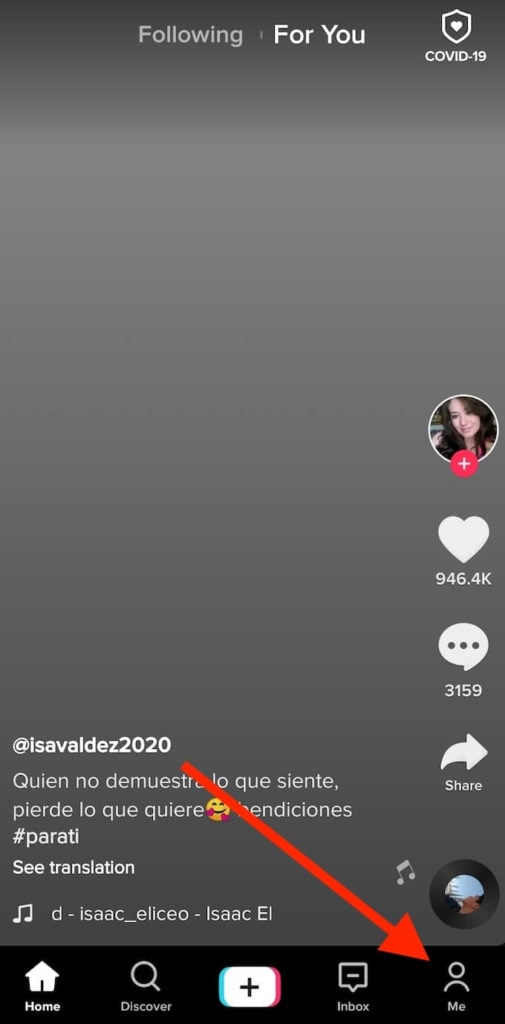
- Select Me at the lower-right corner of your screen to access your account page.
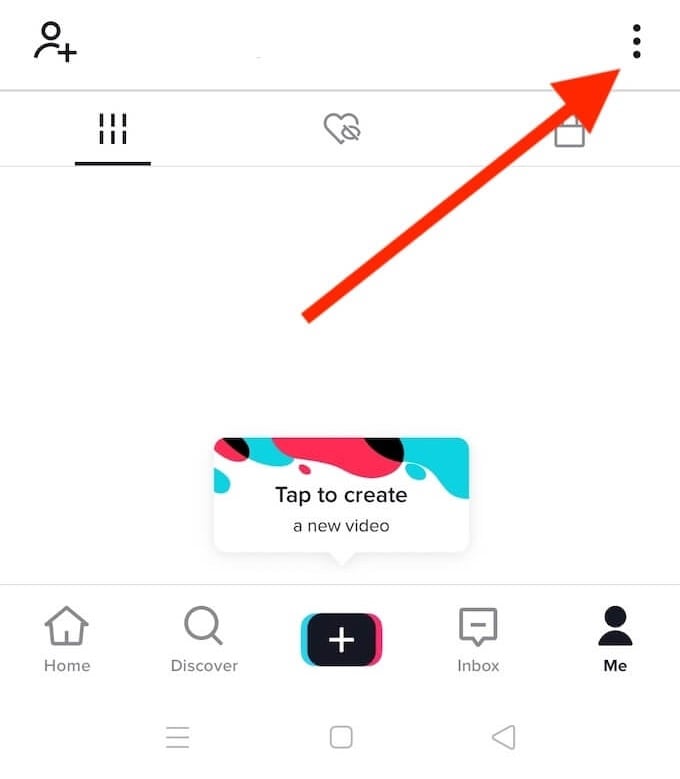
- Select the three vertical dots in the upper-right corner of the screen to open Settings and privacy.
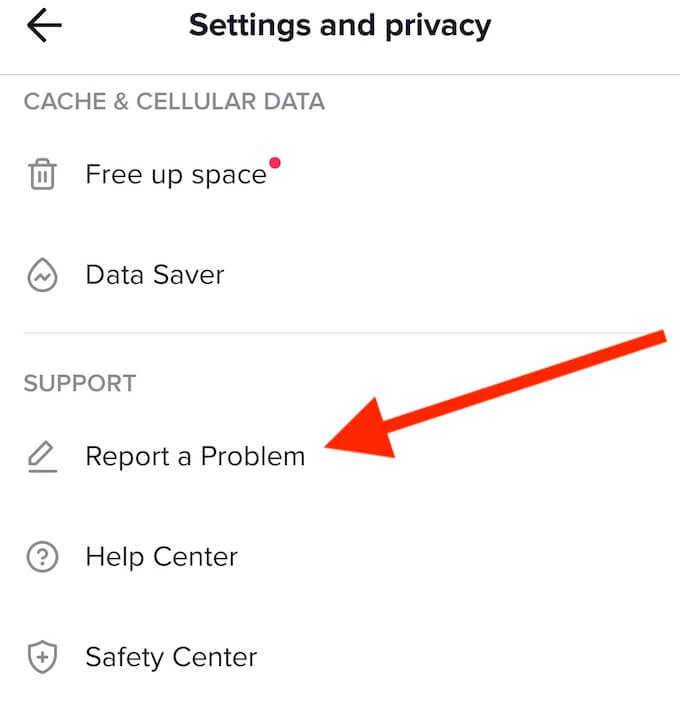
- Scroll down until you see Support and select Report a Problem.
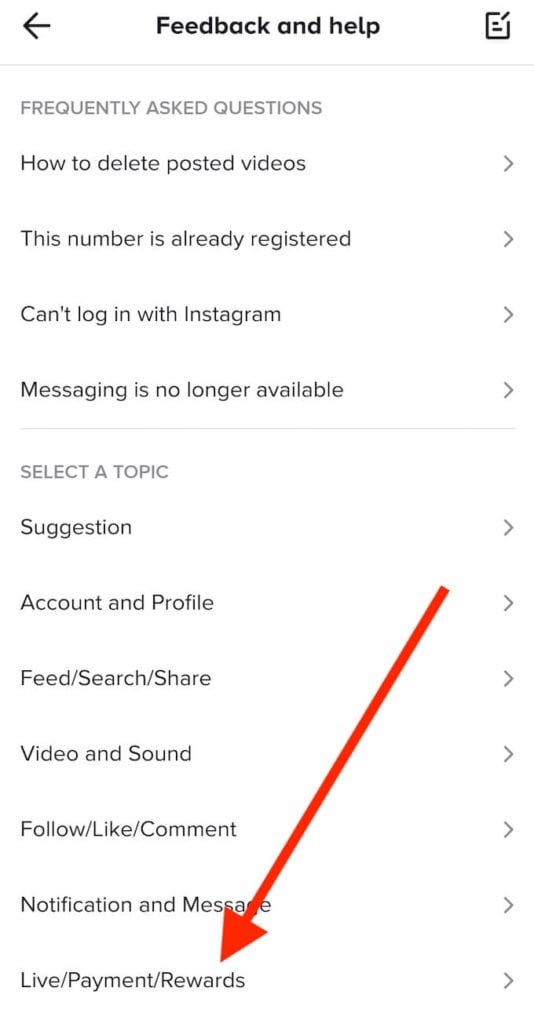
- Under Select a topic, select Live/Payment/Rewards.
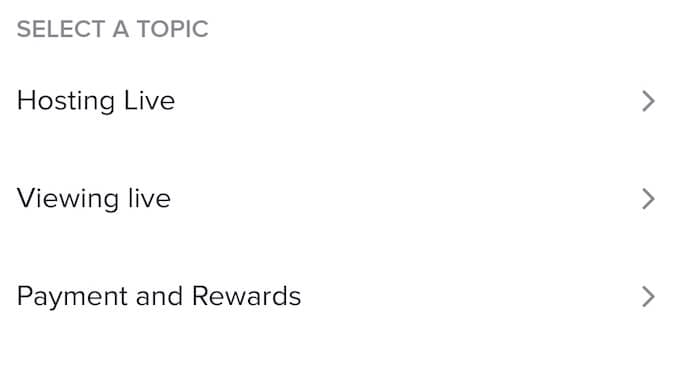
- Select Hosting Live.
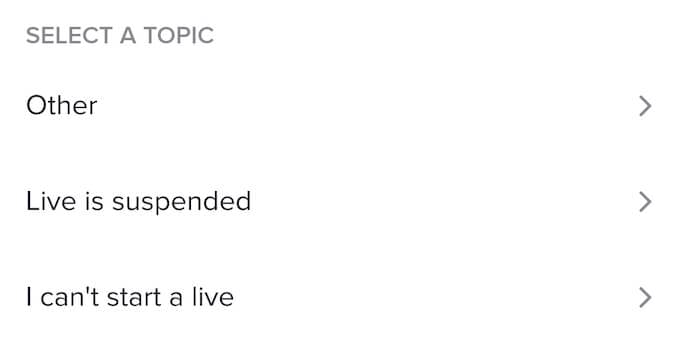
- On the next page, select I can’t start a live.
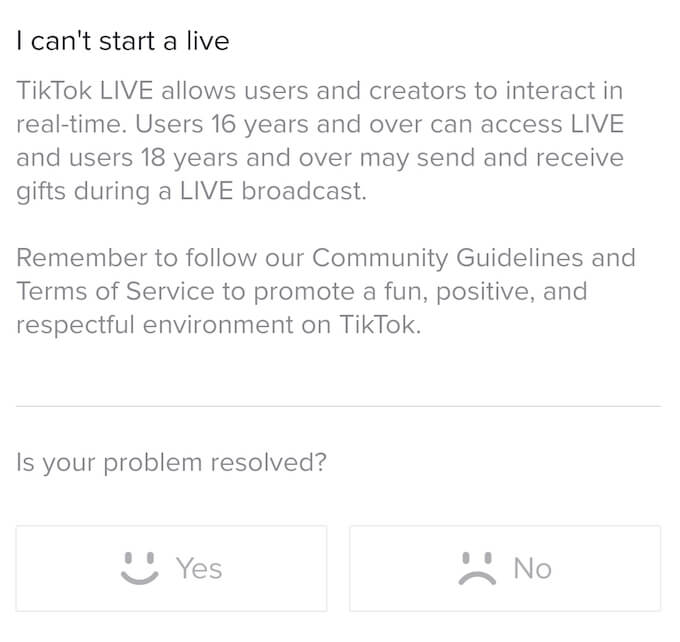
- Under Is your problem resolved? select No > Still have problem to file a report.
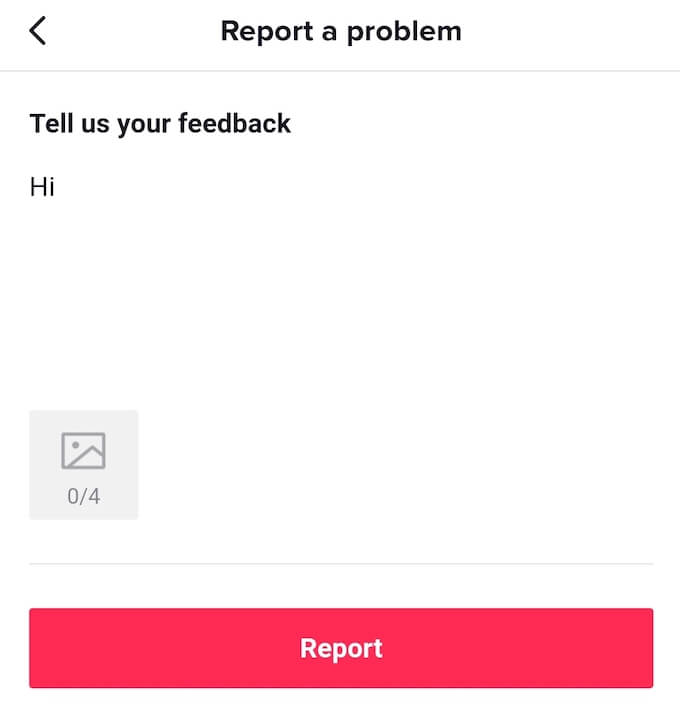
- Describe the issues you’re having with TikTok Live in as much detail as you can and add any relevant screenshots to your report. Select Report to send it to TikTok Support team.
Wait for the Support team to review your report and get back to you with instructions on how to fix your problem.
Can You Go Live on TikTok With Your Desktop PC?
While you can use TikTok on your PC, it has limited functionality compared to the mobile app. You can access your account, browse videos using tags, keywords, and users that you follow, as well as upload videos to your account.
However, TikTok’s trying to encourage people to download and use their smartphone app, so many services including TikTok Live are unavailable through the desktop app.
Tips & Tricks for Getting Noticed on TikTok
If you’re a beginner on TikTok, the option to livestream on the platform might not be available to you. However, you can easily reach the 1000 followers target by applying the following tips for getting popular on TikTok.
1. Post Original Content Only
TikTok’s full of trendy content that popularity chasers are trying to imitate. It results in a ton of similar content on the app that quickly gets boring to browse through. The key to success here is to stand out and be yourself. Upload original content and find your own niche on TikTok.
2. Upload Content Consistently
Starting on TikTok is easy, but to grow on TikTok you must upload new content non-stop. Most successful TikTokers upload multiple videos a day, and that’s no easy task. However, if you want to see your followers increase, you have to commit and make it a rule to post daily on TikTok.
3. Allow Duets on TikTok
Duets are a popular format of content on TikTok. When you enable Duets, other users can use your videos to fill in dialogues, do sketches, or lip-sync together with you on the same screen. When someone posts a Duet, you’re tagged in it, which gives you a good opportunity to widen your reach and get new followers.
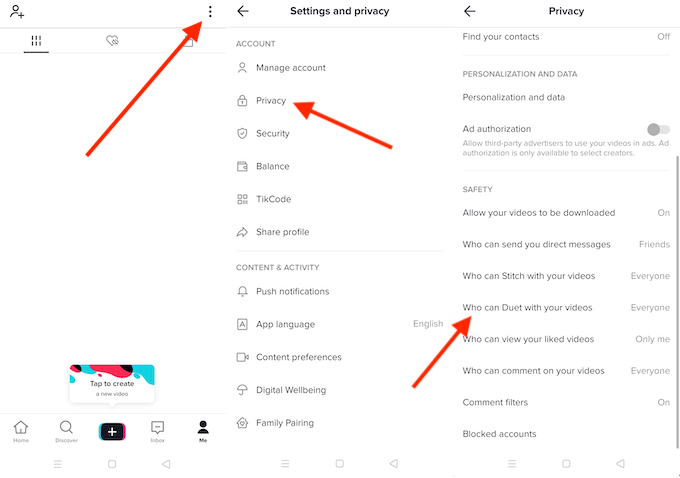
To enable Duets on your TikTok account, open TikTok and select Me to open your account page. Then open TikTok’s Settings and privacy menu and follow the path Privacy > Who can Duet with your videos > Everyone.
You can set it to only allow your Friends on TikTok to Duet with your videos, but then you’ll be limited to TikTok users that you already connected with.
4. Follow TikTok Trends
One way to ensure your TikTok content’s popularity is to follow trends. That doesn’t mean you should copy ideas from the videos that are already going viral. Instead, you can post original content but use trendy music that everyone knows and loves.
5. Use the Right Equipment to Record Your Videos
The idea of using a good camera phone to record your videos might seem obvious, but that’s not all the equipment you need for a successful TikTok video. TikTok isn’t always about using professional expensive equipment. Their sole purpose is to create the right atmosphere and add a specific feeling to your TikTok content.
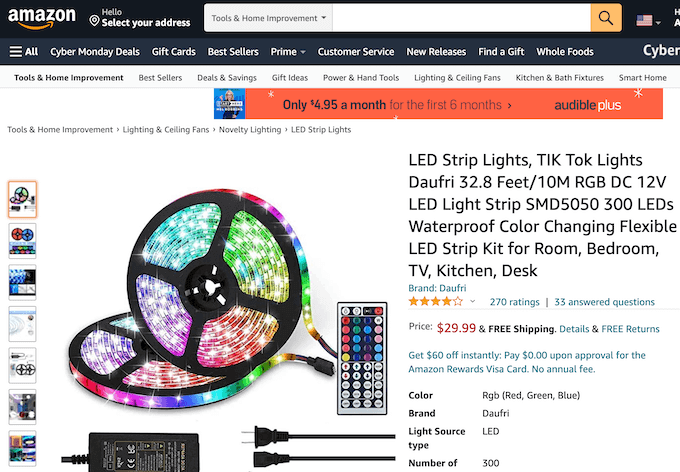
Even simple LED lights can work wonders. You can easily find these LED Strip Lights on Amazon. The retailers have started marketing them for TikTok since they’ve become so popular with TikTok users.
Start Live Streaming to Make Your Content Go Viral
Today you can go live on almost any social media platform. It’s a great format if you want to interact with your followers and receive feedback from them on the content you’re sharing.
Have you ever gone Live on TikTok or any other platform? What tips can you give to someone who’s looking to start their first live stream? Share your experience with live streaming in the comments below.