Skip to content
ONLINE 101010 TECH 010101 TIPS
  • Latest
  • News
  • How-To
  • Social
  • Streaming
  • Gaming
  • Reviews
  • Latest
  • News
  • How-To
  • Social
  • Streaming
  • Gaming
  • Reviews
  1. Home/
  2. Social Media/
  3. How to Enable Dark Mode on Instagram for Android

How to Enable Dark Mode on Instagram for Android

Anya Zhukova
October 28, 2022
3 min read
 - Instagram Circle Button Icon 3D on Dark Bakcgorund. Elegant Template Blank Space

Dark mode in apps like Instagram is popular for reducing eye strain and saving battery life. Dark mode turns most of an app’s interface black and looks cool too.

There are two ways to enable Instagram dark mode on an Android device: the dark theme built into Instagram or the dark mode on your Android phone’s settings. Follow our step-by-step guide for Android users to get dark mode on Instagram.

How to Enable Dark Mode on the Instagram app

This method is perfect for those who don’t want the rest of their smartphone apps to turn dark or use an Android version that doesn’t support system-wide dark mode.

 - how-to-enable-dark-mode-on-instagram-for-android-1-compressed

The dark mode (or night mode) is a relatively new feature on Instagram, so before you begin, make sure your Instagram app is updated to the latest version. You’ll also need to update your device’s operating system to Android 10 or higher (the iPhone equivalent is iOS 13).

After you do that, follow the steps below.

  1. Open the Instagram app.
  2. At the bottom-right corner, tap your profile picture icon to open your profile page.

 - how-to-enable-dark-mode-on-instagram-for-android-2-compressed
  1. At the top-right corner, select the three horizontal lines icon to open the menu.
 - how-to-enable-dark-mode-on-instagram-for-android-3-compressed
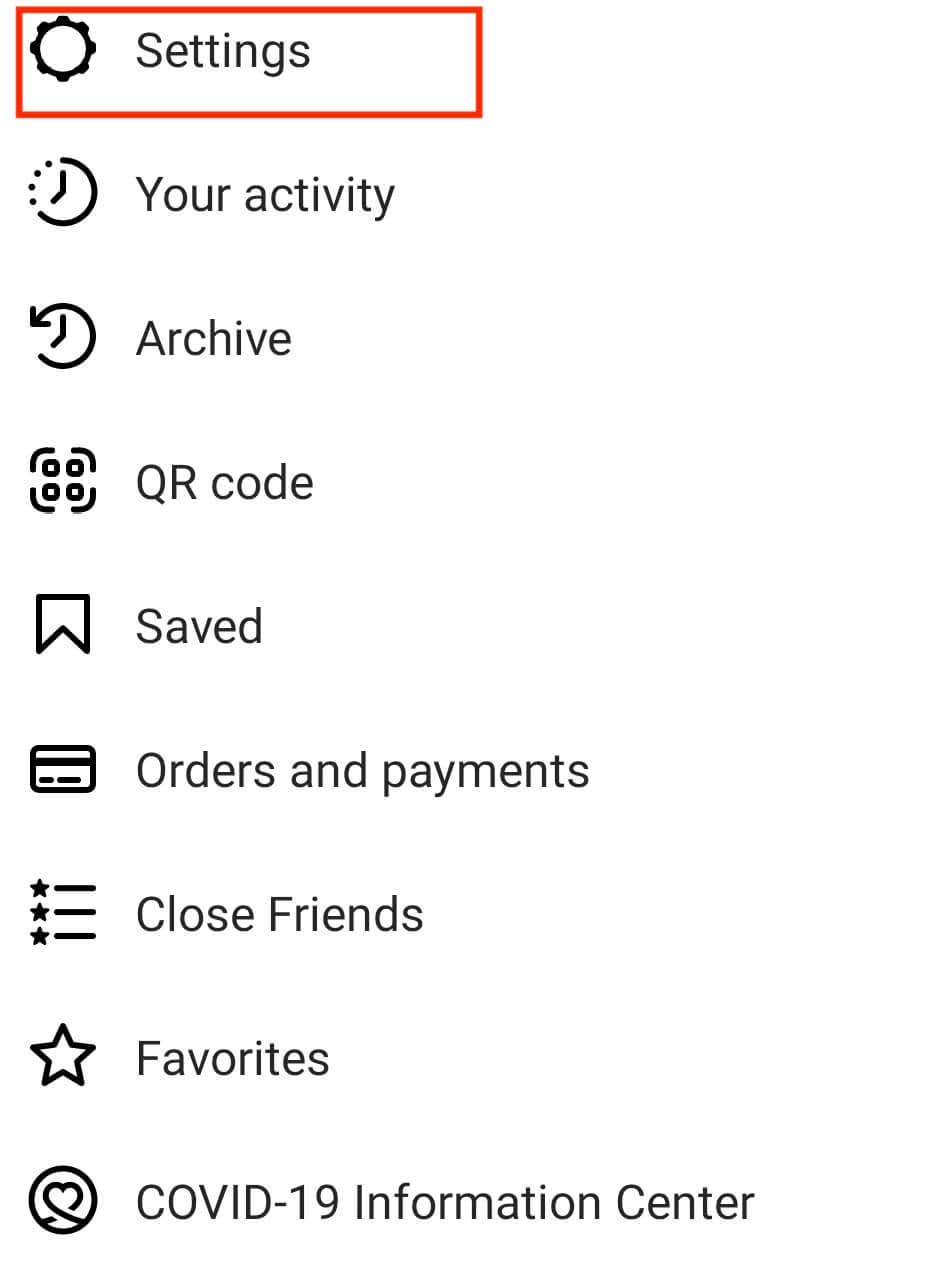
  1. Select Settings.
 - how-to-enable-dark-mode-on-instagram-for-android-4-compressed
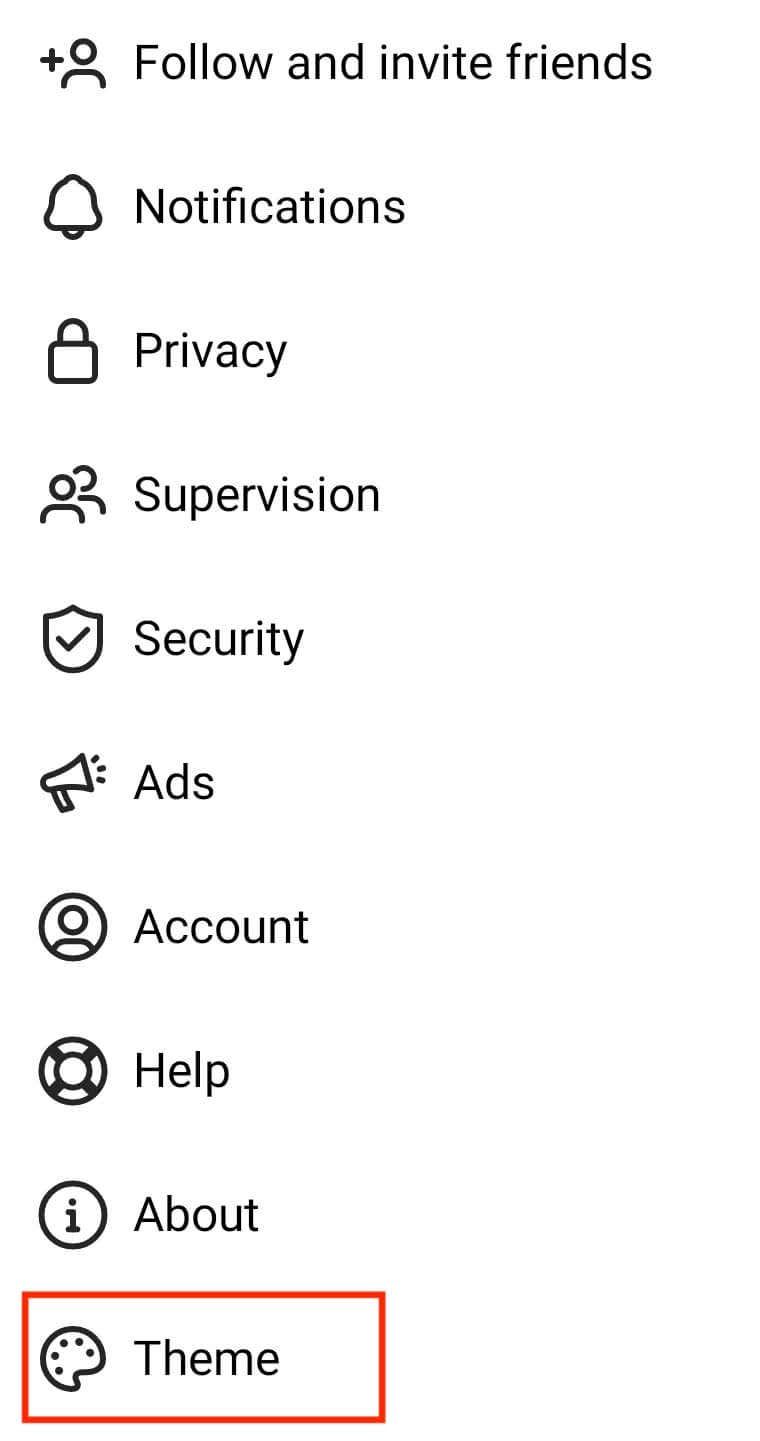
  1. Scroll down and select Theme.
 - how-to-enable-dark-mode-on-instagram-for-android-5-compressed
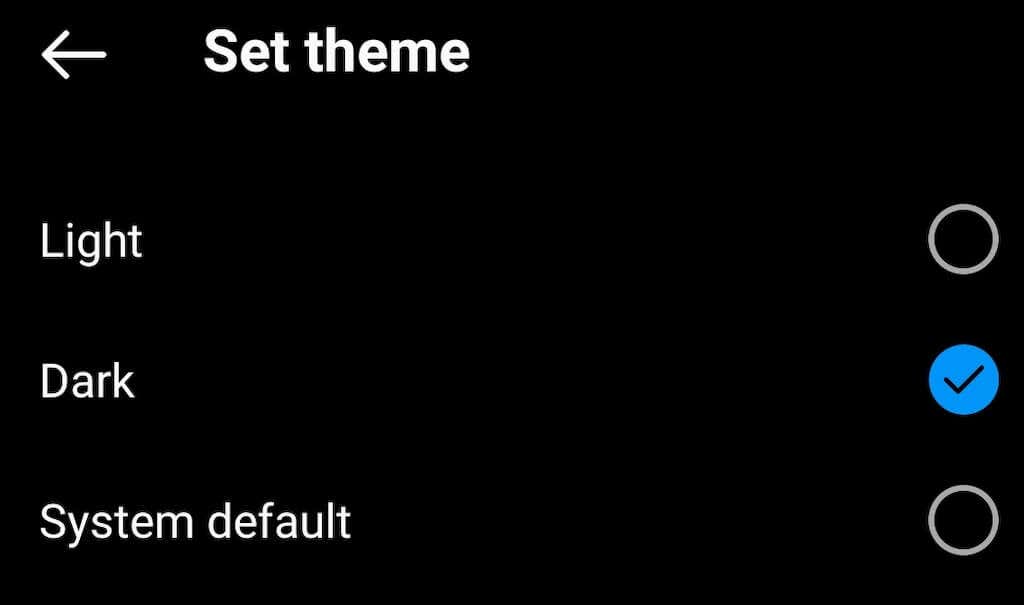
  1. On the Set theme page, you’ll see three options: Light, Dark, and System Default. Tap Dark to switch the dark theme in your Instagram app.
 - how-to-enable-dark-mode-on-instagram-for-android-6-compressed

The System Default setting is useful when your Android operating system theme is set to a schedule (or Auto switch on some Android phones). When you use this setting, Instagram syncs its theme to your Android theme and changes automatically between modes.

If your Instagram’s interface colors stay the same after following these steps, quit the app and open it again.

How to Enable System-Wide Dark Mode on Android

You can use the Android system settings if you want to enable dark mode for your entire operating system. To do that, follow the steps below.

  1. Open your phone’s Settings app.
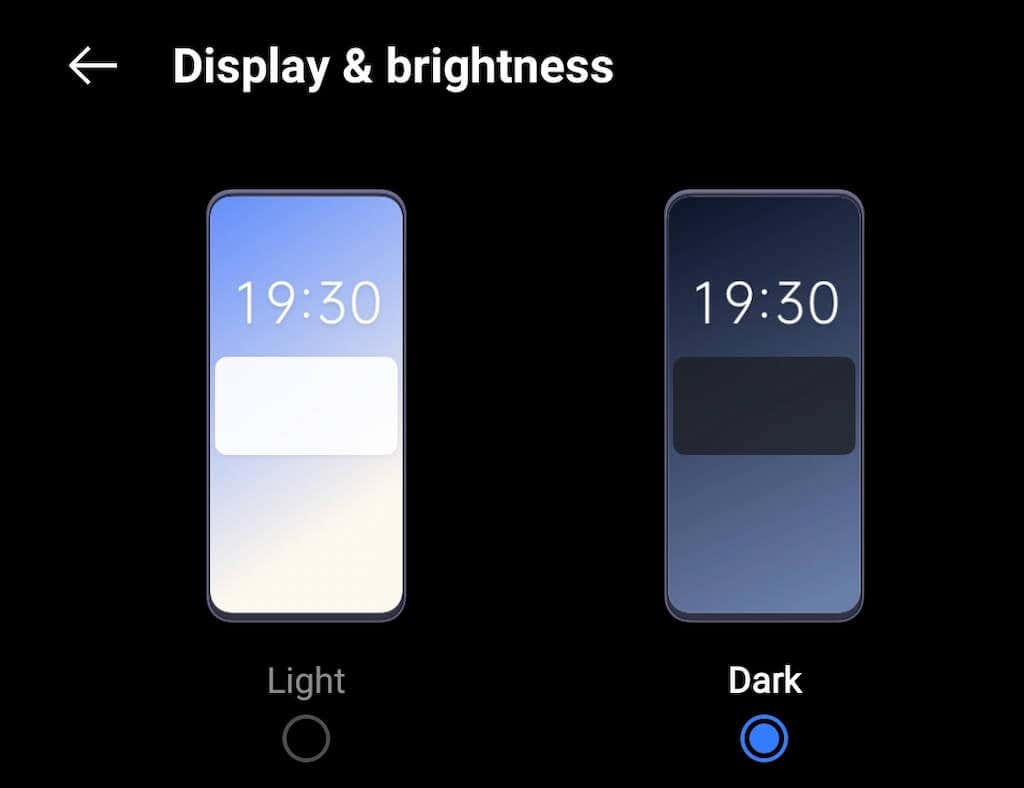
  2. Scroll down and select Display & brightness.
 - how-to-enable-dark-mode-on-instagram-for-android-7-compressed
  1. Select Dark to switch the dark mode on.
 - how-to-enable-dark-mode-on-instagram-for-android-8-compressed

Alternatively, using the Quick Settings tab, you can enable the system-wide dark mode on Android right from your home screen. To do that, pull the notification tab down (as you would when you get an active notification on your phone), then select Dark mode.
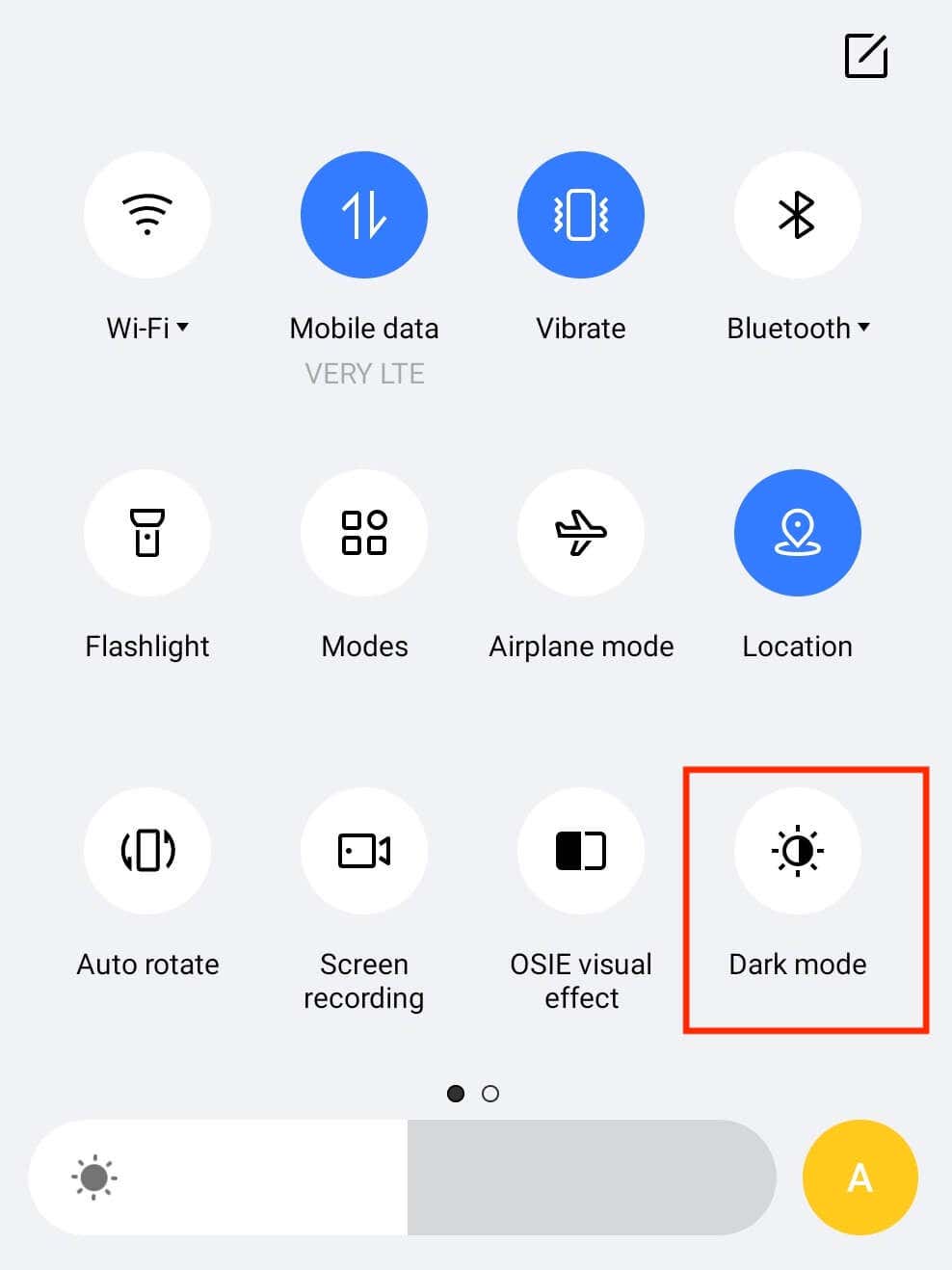
 - how-to-enable-dark-mode-on-instagram-for-android-9-compressed

If you return to your Instagram app and leave the theme setting on System Default, Instagram will automatically turn the dark mode on.

How to Enable Dark Mode on Other Apps on Android

Almost every app now has a dark mode feature. If you want to enable the dark theme on a particular social media app like Snapchat, WhatsApp, or Facebook Messenger, you can do it by selecting the dark mode option in the app’s settings.

Tags: Instagram
Share
Written by

Anya Zhukova

Anya is a freelance technology writer. Originally from Russia, she is currently a full-time Remote Worker and Digital Nomad. With a background in Journalism, Language Studies, and Technical Translation, Anya couldn't imagine her life and work without using modern technology on a daily basis. Always looking out for new ways to make her life and location-independent lifestyle easier, she hopes to share her experiences as a tech- and internet-addict through her writing. <a href='https://www.online-tech-tips.com/author/azhukova/'>Read Anya's Full Bio</a>

View Anya's Profile

Recent Posts

  •  - personal finance tools
    10 AI Money Apps That Make Mint Look MedievalJun 6, 2025
  •  - smartwatches
    Is a Smartwatch Worth It in 2025 and Beyond?May 20, 2025
  •  - slow wifi
    How to Fix Slow Wi-Fi on Your SmartphoneMay 6, 2025
  • Programmer coding at computer. - vibe coding
    Vibe Coding 101: Your Guide to AI-Powered ProgrammingMar 26, 2025

Search

Categories

  • Gaming (345)
  • How-To (1,120)
  • News (43)
  • Reviews (437)
  • Social Media (461)
  • Streaming (174)
  • Uncategorized (4)

Popular Tags

Adobe AI Alexa Amazon Android Buying Guides ChatGPT Chrome Discord Explainers Facebook FireTV Gadget Reviews Gmail Google Google Docs Google Maps Google Sheets Home Networking Hulu Instagram Internet LinkedIn Minecraft Netflix Nintendo Switch PlayStation Premiere Reddit Remote Work Roblox Roku Roundups Smart Home Snapchat Software Reviews Spotify Steam TikTok Twitch VR WhatsApp Windows X (Twitter) YouTube

Our Publishing Family

Online Tech Tips is part of the AK Internet Consulting publishing family.

  • HELP DESK GEEK
  • THE BACK ROOM TECH
  • SWITCHING TO MAC
  • XBOX ADVISOR

Daily Email Newsletter

Connect With Us

About Online Tech Tips

Online Tech Tips has published easy-to-follow technology tutorials, honest reviews, and practical how-to guides since 2007 — helping millions of readers solve tech problems and get more from their devices.

Learn More →

© 2007-2026 Online Tech Tips.com, LLC.
All Rights Reserved.

  • Home
  • About Us
  • Editorial Standards
  • Contact Us
  • Terms of Use
  • Privacy Policy
Online