

If you use Facebook regularly, chances are you’ve already seen Facebook recommendations,which is personalized content suggested for you by Facebook. These recommendations are designed to help you discover new content, pages, groups, and events that you’re not already following. But you can also ask friends for recommendations, and below we’ll explain how to do this.
How to Ask for Recommendations on Facebook
You might want to ask friends or family for recommendations from time to time. For example, you might need to find a new hair salon and want recommendations from friends. Or perhaps you’re traveling and want to know where in NYC you can get the best burger? Recommendations can help you find trusted services that your friends and family have already used, from restaurants to attractions.
Below, we’ll take you through how to ask for recommendations on Facebook, whether you’re on your computer, using the Facebook mobile app on iOS or Android, or want to do this through your mobile browser.
How to Ask for Facebook Recommendations on Your PC
In the past, there used to be an Ask for Recommendations button on your Feed that you could tap, which allowed you to choose a location, what you were looking for, and your desired audience, such as friends or public. This has been removed by Facebook, but Facebook’s algorithm now automatically identifies if you’re posting asking for recommendations.
To ask for recommendations on Facebook using your PC, follow these steps:
- Go to http://facebook.com in your browser and sign in to your Facebook account.
- Select the What’s on your mind? text box at the top of your feed.
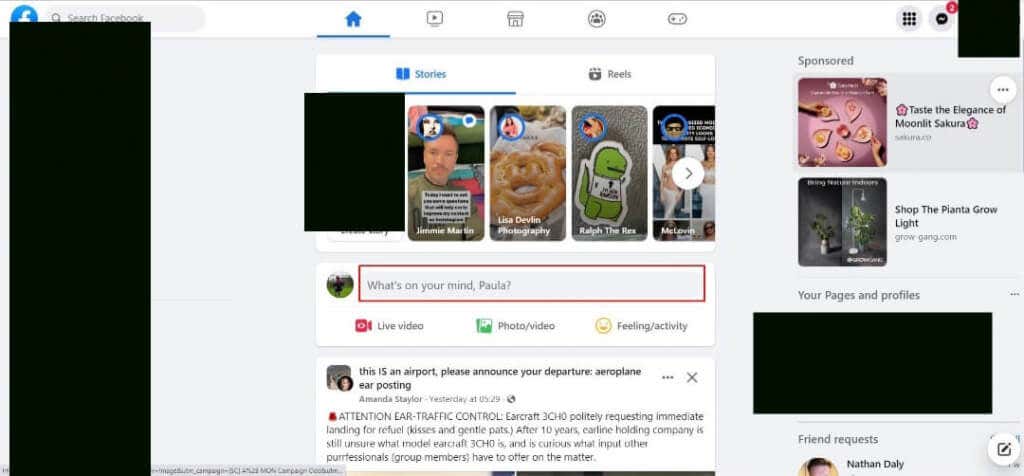
- This will open a popup window to allow you to create a new post.
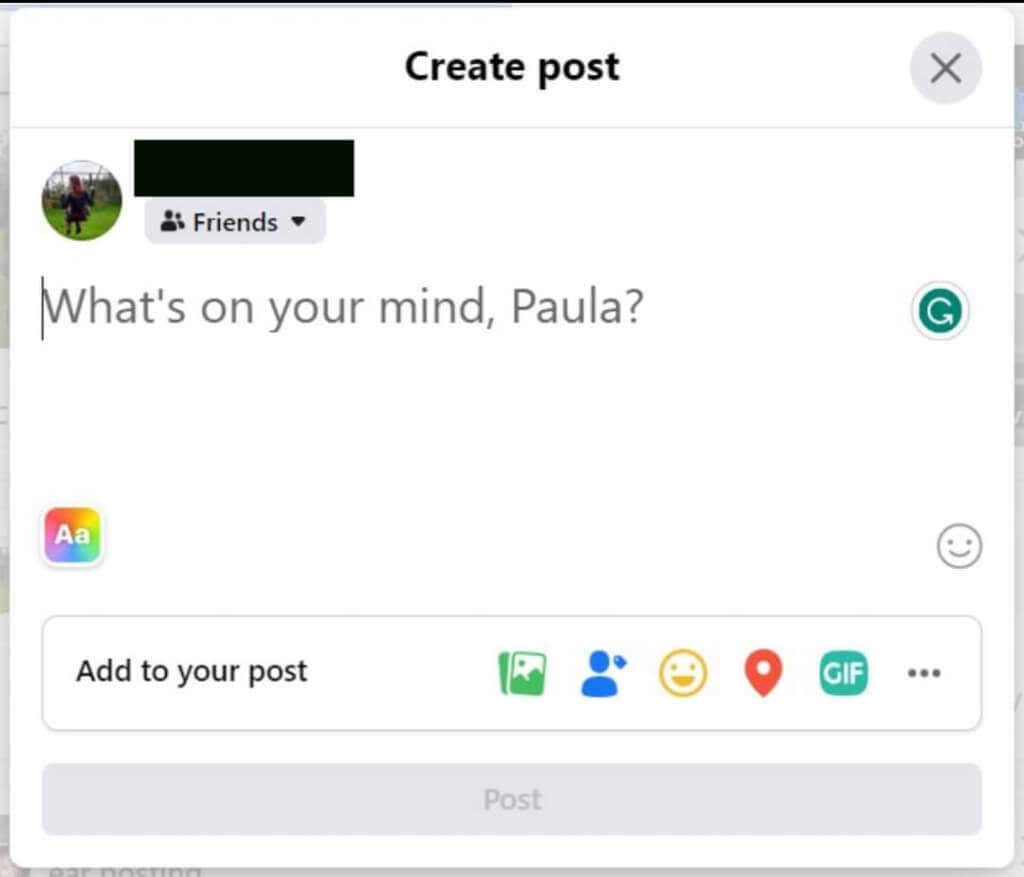
- Write your recommendations post, which should be text only.
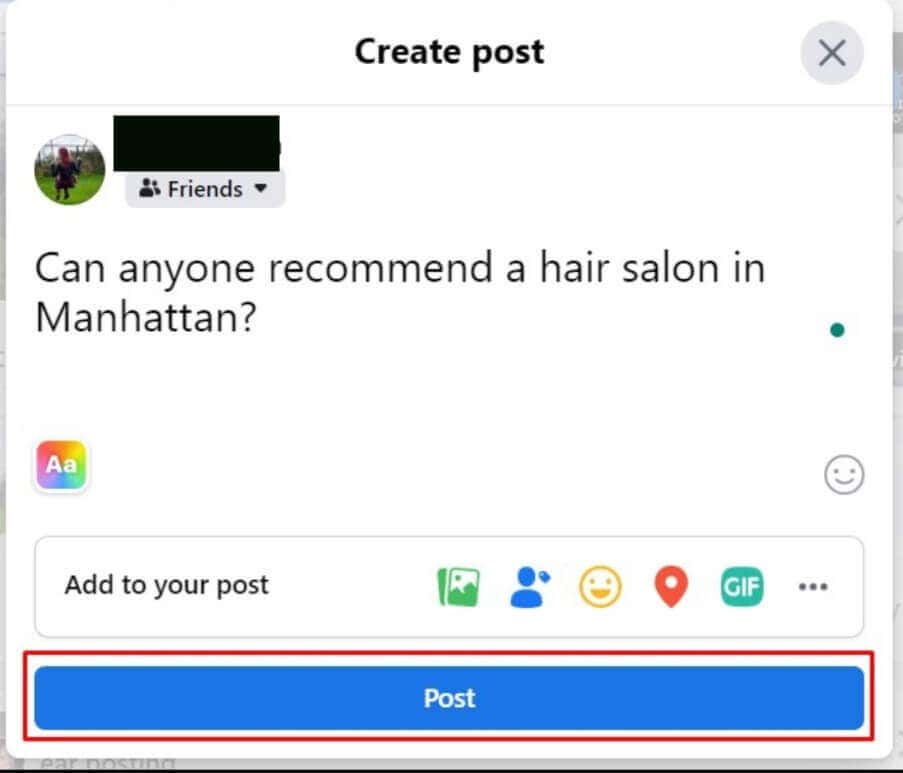
- You need to write your post in the format of a question, with a specific location and any further details. For example, “Can anyone recommend a hair salon in Manhattan?”
- Select the blue Post button at the bottom of the window to post the request to your Facebook wall.
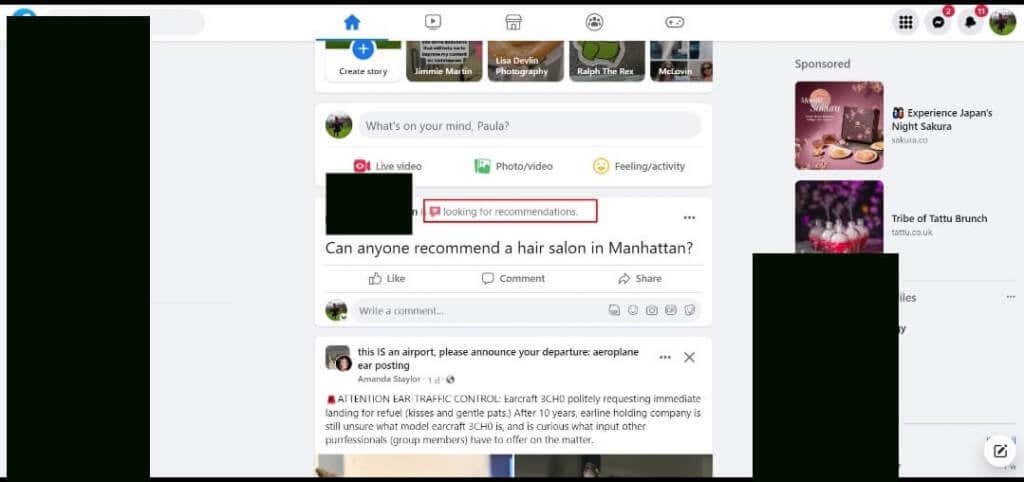
- You should see that your post has been automatically tagged as a recommendation post.
- You can also ask for recommendations in a group by navigating to the group’s page and posting your request there.
- People can leave comments on your post as they would a regular post.
How to Ask for Facebook Recommendations on the Facebook Mobile App
You can also ask for recommendations on the Facebook iOS or Android app. The steps to follow are the same regardless of which OS you’re using.
- Open the Facebook app on your mobile device and ensure you’re logged in to your account.
- Tap What’s on your mind at the top of your feed.

- Type in your recommendations question in text-only format. If you add pictures or other media, Facebook won’t automatically identify that your post is a request for recommendations.
- Provide a location and specific details for your request, for example, type “Can anyone suggest a good seafood restaurant in Edinburgh?”
- Tap the Post button at the top right to post your recommendations request to your Facebook wall.
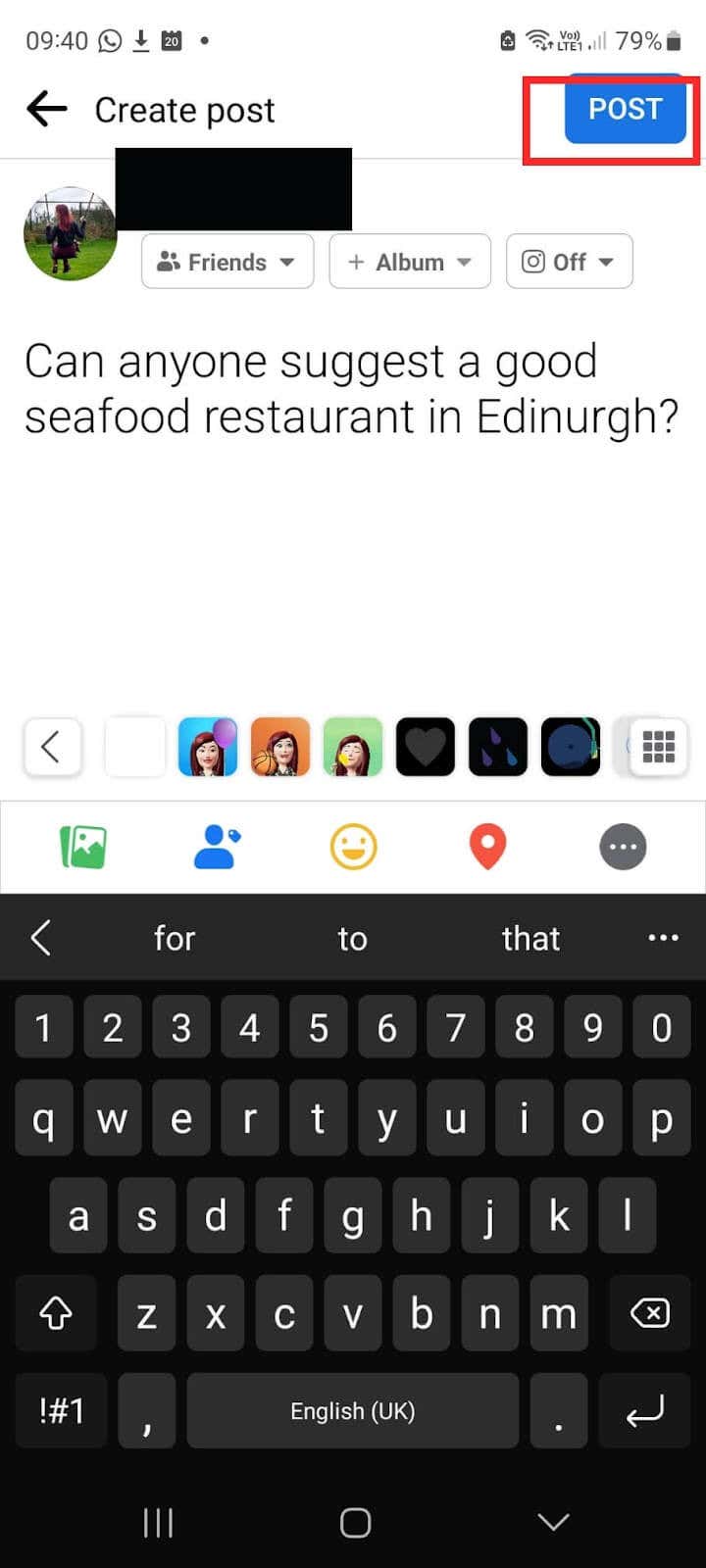
- Facebook should automatically tag your post as a recommendation post.
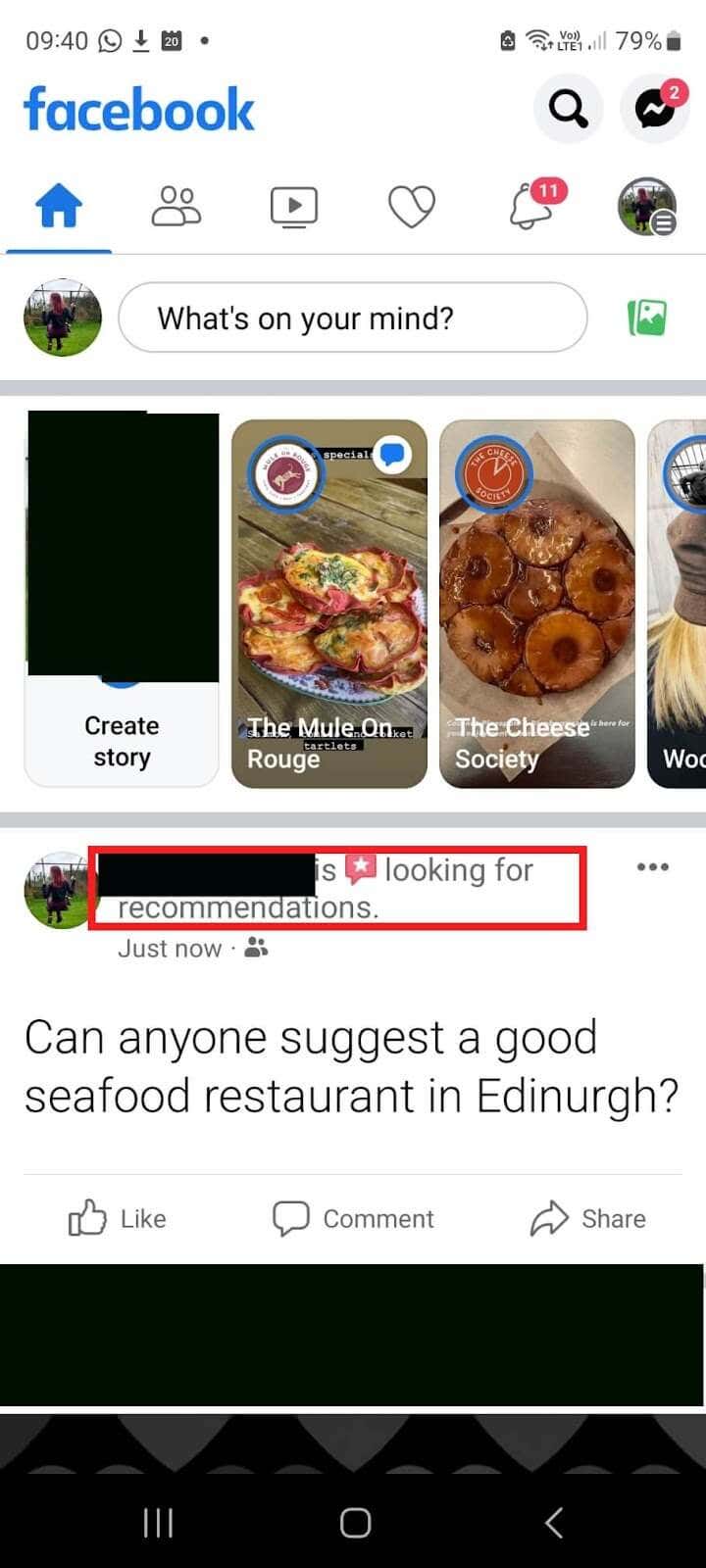
How to Ask for Recommendations on Facebook via Mobile Browser
The final way to ask for recommendations on Facebook is to use your mobile browser of choice on your smartphone or tablet. Here are the steps to follow:
- Navigate to https://m.facebook.com in your browser (note that if you have the Facebook app installed, you’ll automatically be redirected there). You can only use this method if you don’t have the Facebook app installed on your phone or tablet.
- Ensure you’re logged in to your Facebook account.
- Tap the What’s on your mind box at the top of your feed.

- Type in your recommendation request and ensure to use text-only format. Adding pictures or anything else means Facebook won’t automatically recognize this is a request for recommendations.
- For example, type “Can anyone recommend things to do in Glasgow?”
- Tap Post to post your request to your Facebook wall.
As you can see, it’s easy to ask for recommendations on Facebook, whether you’re on your phone, your tablet, or your desktop PC. Getting recommendations from friends and family is not only a great way to find things to do, a service, or a product, but it’s also a great way to discover new businesses in your area and support small businesses that you might not otherwise have heard about.
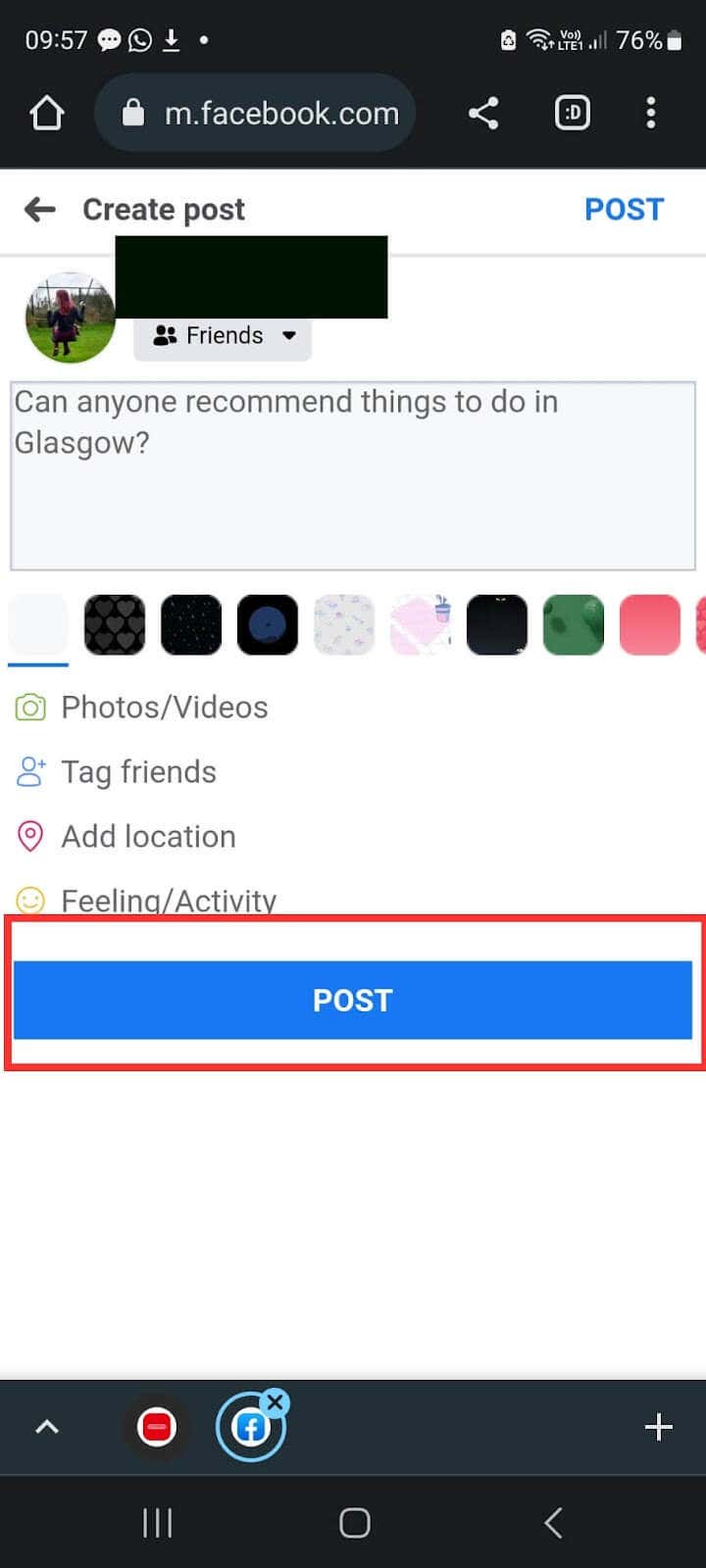
- You should see your post on your Facebook wall and Facebook should have automatically tagged your post as a looking for recommendations request.

Though there’s no longer a dedicated button to allow you to ask for recommendations on Facebook, it’s still a simple thing to do. Whether you’re using the Facebook app on your phone or tablet or accessing Facebook through your PC browser, you can easily ask friends and family for recommendations for brunch spots, hair salons, shops, or anything else you need at home or while traveling.