

If you haven’t heard of Mastodon, don’t worry. There’s no need for FOMO just yet. The service quietly launched in 2016 and did not begin to catch on until around March of 2017. At the beginning of August 2017, Mastodon had just over 760,000 users. The service hit a million users in December and has continued to grow almost unabated since then.
As for what Mastodon actually is, well – that takes more than a paragraph to explain. Mastodon is a social media platform that shares similarities with Twitter, but that’s just the start.
Mastodon Is Free, Open-Source, Decentralized & Federated
The first thing to know about Mastodon is that it is FOSS – free and open-source software. Anyone who wants to, can download a copy of the source code, and modify it in whatever way they want.
Someone can even develop an entirely different platform than Mastodon based on the original code with no legal repercussions. The idea behind open-source software is progress: to build on all that came before. And to get around draconian copyright laws.
Another primary tenet of Mastodon is decentralization. While the world “centralized” can mean different things in different contexts, with social media it typically refers to a central organization.
Take Facebook, for instance. To use Facebook, you have to go to Facebook.com or access it via a third-party application that uses Facebook’s API. While you might have your own page, it isn’t really “yours” – and Facebook can shut it down or remove anything they don’t like.
Mastodon is a decentralized network, which means there is no central group with all of the power. Think back to the early days of blogging, when “blog networks” were popular. You might have your own blog, but it was easy to jump to someone else’s blog. That is an example of a decentralized network.
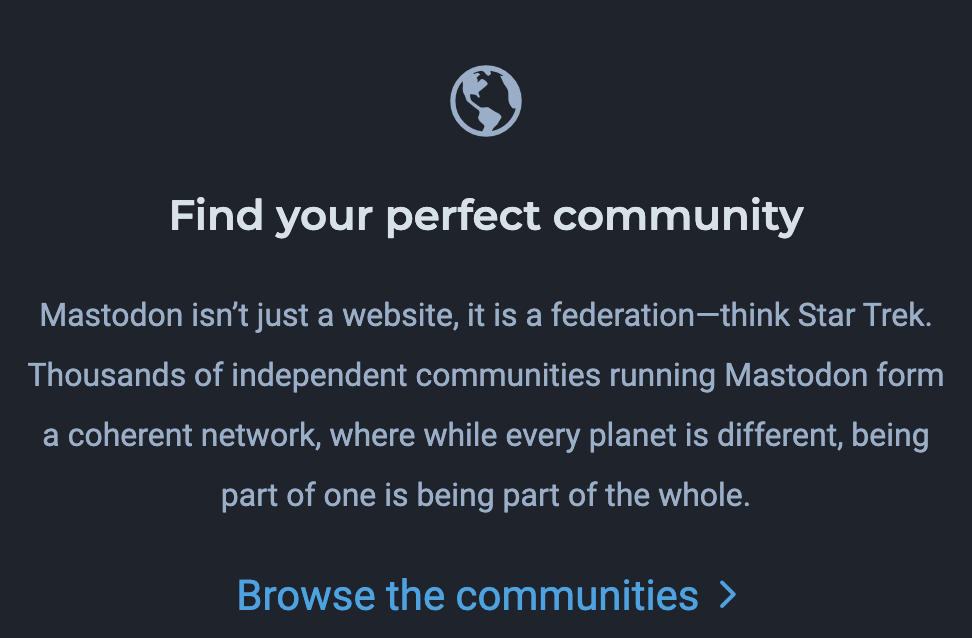
While a decentralized network is great in theory, the point of a social network is to be part of a larger whole – and that’s where Mastodon incorporates federation.
“Mastodon isn’t just a website, it is a federation – think Star Trek. Thousands of independent communities running Mastodon form a coherent network, where while every planet is different, being part of one is being part of the whole.”
There are hundreds, if not thousands, of small communities that live within the Mastodon system. Each one is independent and unique, but they can all talk to one another. These communities are called instances. On a technical level, any domain that runs Mastodon is called an instance.
Each instance is separated and moderated by its own team of admins and volunteers. There is no global administration team.
Mastodon Is Based In Ethics
If you believe in a free and open Internet, Mastodon is a great service to use. As the source code is open, if Mastodon ever goes in a direction that users don’t like, someone can easily modify the code and create their own version of Mastodon where like-minded people can join.
On that note, Mastodon uses standard protocols. This means the network can continue to survive without Mastodon servers. You aren’t bound to the service. Even your “toots” (the Mastodon equivalent of Tweets that we will dive into later) can be accessed by other technology.
Finally, Mastodon is not monetized. The creators only earn money through donations – not through advertising or venture capital. This means there is no committee driving the service to generate the most profit or revenue. While the creator of Mastodon, a man named Eugen Rochko, might be inclined to install certain features to keep the user base happy, any unhappy users can take the source code and go elsewhere.
How To Use Mastodon
Now we get to the reason you’re actually here – to figure out how to use this confounded service. If, like me, you took one look and scratched your head at the seemingly complex systems, don’t worry. Mastodon is a lot easier to use than you might think.
First of all, your messages to the instance are called toots. This is a play on Tweets. You also set up a profile just like you would on Twitter, including a display name, a bio, a header, and a profile picture. Mastodon also provides users with options for filtering specific words and content.
It even looks like Tweetdeck. Just check out this screenshot:
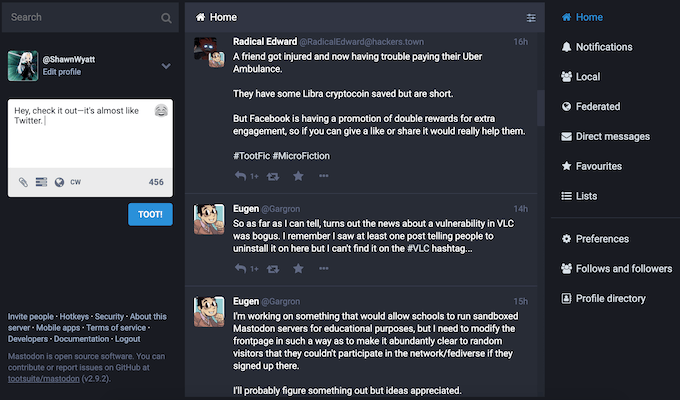
The Mastodon equivalent of a retweet is called a boost. Likes are called favorites and you have a 500-character limit to your messages instead of Twitter’s 240 limit.
The username format is @username, but that’s where things start to get different. See the top toot on the timeline? That’s from a user named @RadicalEdward@hackers.town. This is an example of Mastodon’s federated network. @RadicalEdward is the user, but the @hackers.town shows the user is posting from another instance.
The screenshot is of Mastodon.social, one of the largest – if not the largest – instances out there. With somewhere upward of 200,000 users, it’s not the place to join to chat with people. You’ll be drowned out of the noise.
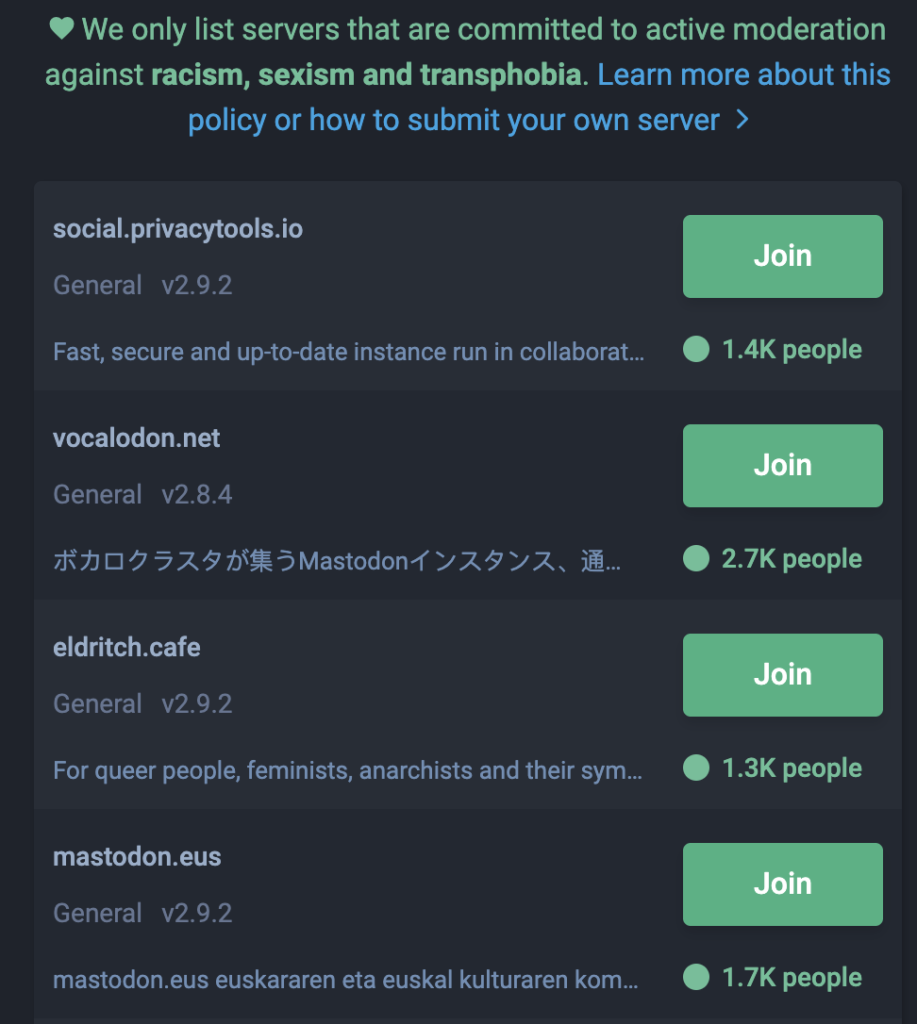
When you join Mastodon, you can browse through lists of instances and sort by categories, and there are quite a few categories to choose from. A few of the instances I saw included one for French speakers, one for nerd culture, and even one for witches.
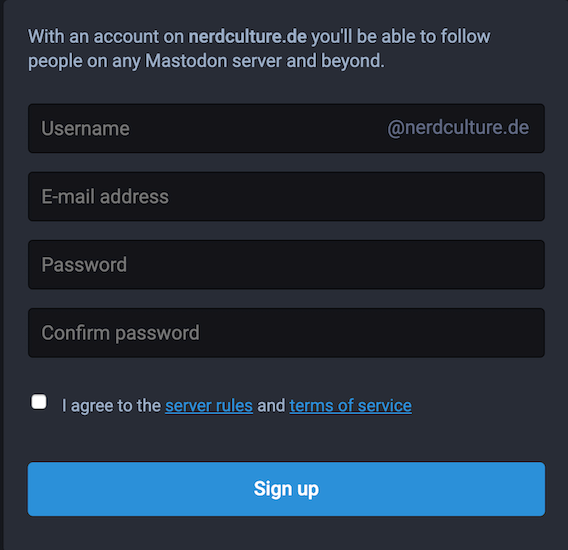
When you click join on a Mastodon, you’ll be greeted with a login/account creation screen that asks for your username, your email address, a password, and asks you to agree to the terms and server rules. Fill these in and voila: you’re inside.
Just keep in mind that your profile will be bare bones until you flesh it out. Your username may also appear on a different instance, as the only place the server checks for duplicates is the instance you join.
If the idea of a corporate-free social network interests you, give Mastodon a try. The more people that make the shift to software that supports a free and open Internet, the better the future of the world wide web will be.