

Discord is one of the most popular chat platforms on the web, but sometimes you don’t want to use your real voice. For instance, what if you want a Star Wars-themed stream and want to sound like Darth Vader? A Discord voice changer can help.
This software does everything from masking your voice to allowing you to add special effects when you speak. It can be for privacy reasons or just to have a bit of fun.
The Best Discord Voice Changer Software
There are a lot of options out there for voice changer software for Discord. To save you the trouble, we’ve narrowed down the best options.
1. Voicemod – Windows 7/8/10
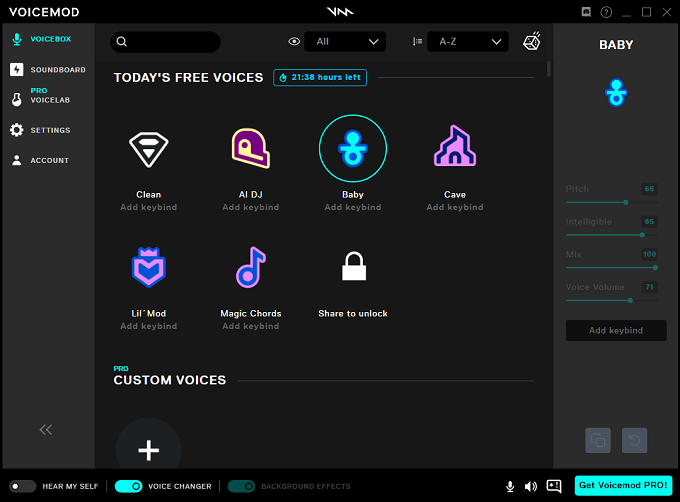
Voicemod is one of the best options for adding sound effects to your voice. It’s a popular program with an affordable subscription if you decide the free version isn’t cutting it.
Features include:
- Different voice options each day for free users
- Paid users have access to all voice masks
- A VoiceLab to create your voice filter
- Subscriptions starting at $9 quarterly or $3 per month
2. Clownfish Voice Changer – Windows Vista/7/8/10
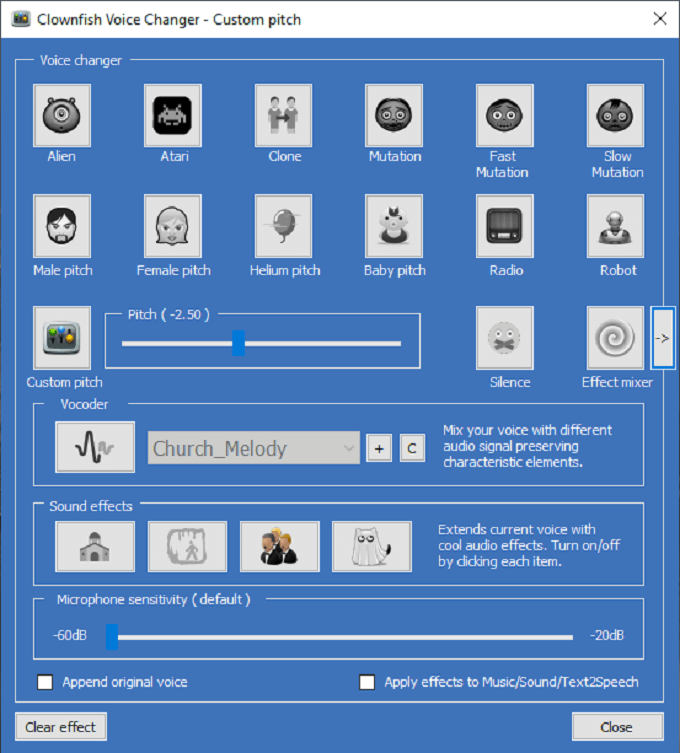
Clownfish is another popular and aptly named voice changer. What sets it apart from the competition is that it works on a system level, which means your voice will sound different regardless of if you’re using Skype, Discord, or another chat program.
Features include:
- 12 preset voice options that include Alien, Baby, and Robot
- Mixing of sound effects to create a new vocal mask
- Optional plugins to extend the usability of Clownfish
- Hundreds of compatible third-party VST effects
- Completely free to use with no subscription costs
3. AV Voice Changer – Windows/iOS
AV Voice Changer, also known as Voice Changer Diamond 9.5, is a premium service with a high price but packs many features into that price.
Features include:
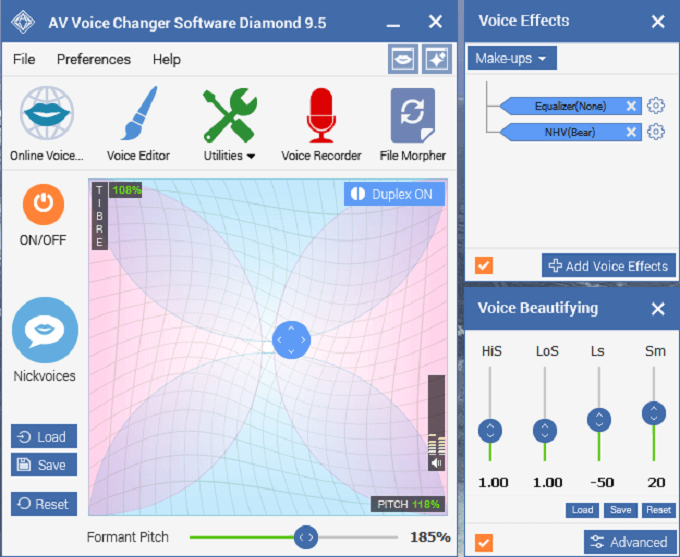
- Many preset voices to choose from organized by age and voice type
- Fine-tune with vowel enhancement, timbre, noise reduction, and sound quality
- Customize voices by adjusting pitch and timbre
- Both a free and paid version
The premium version of AV Voice Changer is $99.95, but almost a necessity given the limitations of the free version.
4. Voxal Voice Changer — Windows 10
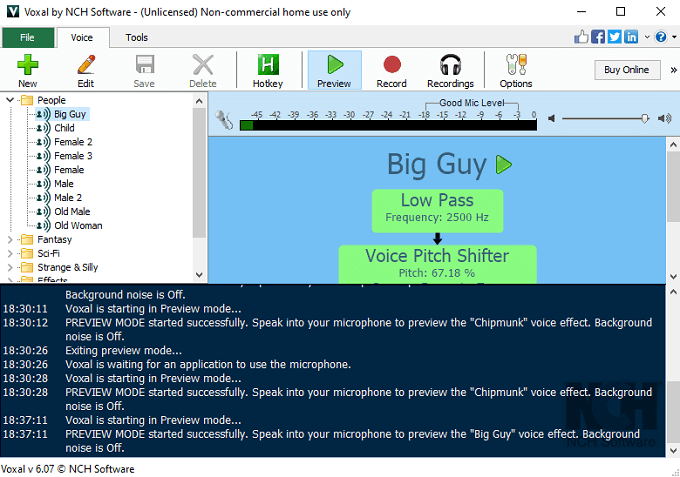
Voxal Voice Changer has some of the widest variety in voice options of any program, especially if you want to sound like a fantasy creature.
Features include:
- Categorized voice options like Fantasy, Sci-Fi, Location, and more
- Import custom voices or create your own through Voxal
- Bind individual voices to different hotkeys on a whim
- Both free and paid versions
- Affordable subscriptions starting at $1.66 per month for a quarterly plan
Be aware that Voxal shows frequent advertisements to users.
5. MorphVOX — Windows 10, Mac
MorphVOX is easy to use, with a built-in setup guide that helps you get started right away.
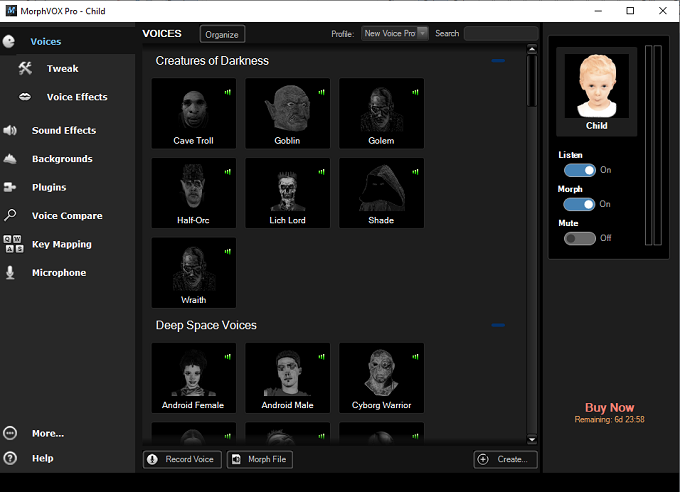
Features include:
- Wide range of voices like Cave Troll, Cyborg Warrior, Old Hag, and Wolf Female
- Organized voices by Male, Female, Magical Creatures, Sci-Fi Voices, Furry Voices, and more
- Built-in sound effects to spice up your speech
- Voice comparison tools to find the perfect voice
- Tweaking tools for total vocal customization
MorphVOX is not free to use but provides a free trial. It’s $39.99 for a full license.
6. Live Voice Changer — iOS
Live Voice Changer is a free app for iOS users that allows you to change your voice on the go. It’s designed for entertainment, mainly for prank-calling friends.
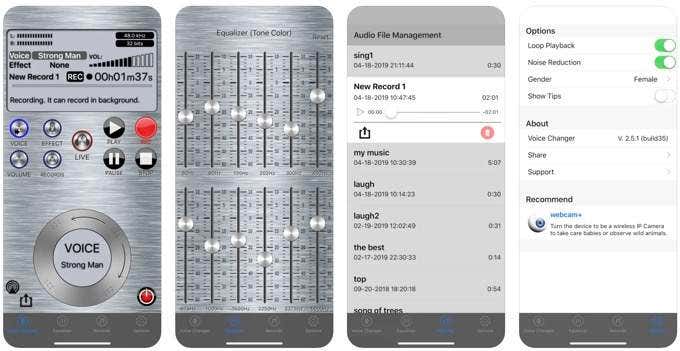
Features include:
- A variety of voices including Darth Vader, Robot, Evil Spirit, Squirrel, and more
- Sound effects include Opera House, Gymnasium, Cathedral, Ballroom, and more
- An equalizer for more precise control over your voice
- A recording option for creating sound clips
Live Voice Changer isn’t the most fully-featured option out there, but it has unique sound effects compared to other options and is worth checking out for iOS users.
7. SuperVoiceChanger — Windows 7, 8, 10
SuperVoiceChanger is a stripped-down application that uses next to no system resources but provides users with a lot of customization.

Features include:
- Complete control of pitch, timbre, tune, and tone
- An equalizer to fine-tune voices
- Noise reduction capabilities
- Voice smoothing capabilities
- An electronic noise reducer to accommodate for low-quality microphones
SuperVoiceChanger is a bit more technical and lacks preset options but more control than many of its competitors.
8. AthTek Free Voice Changer — Windows Vista, 7, 8, 10
AthTek Free Voice Changer is a simple tool that allows you to change recorded clips for playback later. It doesn’t work with live voice but is still a powerful tool.
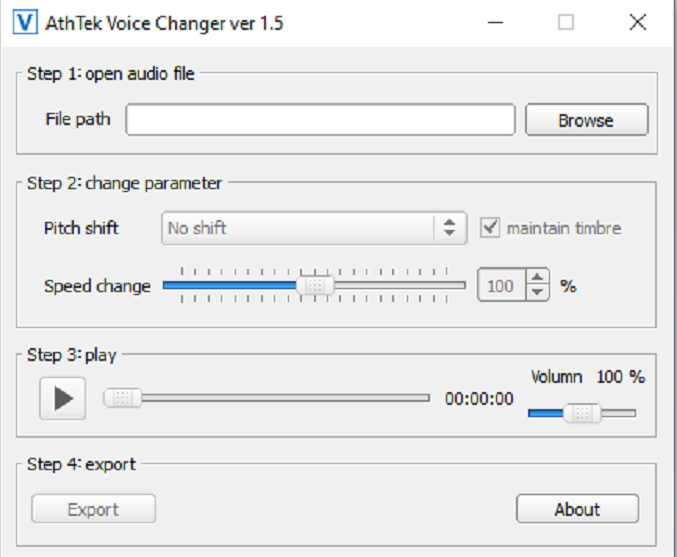
Features include:
- Options to change the pitch of a voice recording
- Import any compatible audio file and tweak it
- Speed up or slow down a recording
- Small file size uses fewer resources
AthTek Voice Changer won’t work for changing your voice while live, but it’s a good way to tweak audio clips for special effects.
9. Online Voice Changer — Online, Any Platform
If you don’t want to download any software to your machine, this online Voice Changer is the best option for Discord users. You can upload an audio file or use your microphone.
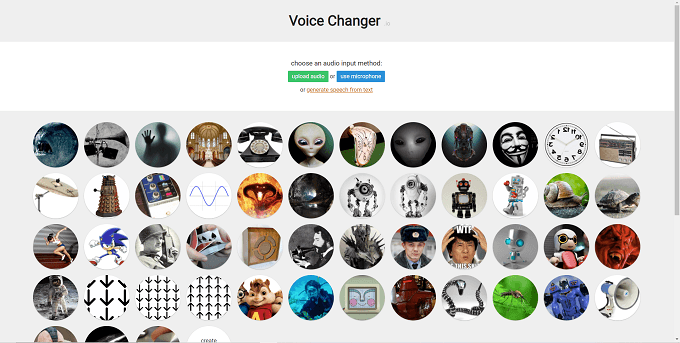
Features include:
- 51 unique voices to choose from including Bane, a Dalek, Sonic the Hedgehog, and more
- Options to create a completely custom voice
- Completely free to use
- Speech-from-text generation tools
Online Voice Changer isn’t as powerful as dedicated software, but it’s hard to beat for an online-only tool.
Other Options for Voice Manipulation Software
There are many tools available, both free and paid, for users who want to change the way their voice sounds online. If you’re an Android user, there are dozens of apps available that allow you to sound like a completely different person, such as Voice changer with effects.
The options for iOS users are more limited. However, with online tools like Online Voice Changer at your disposal, you can easily tweak recordings to make yourself sound any way you want. This is perfect for having fun with friends or for recording clips for things like a YouTube or Twitch channel intro.