
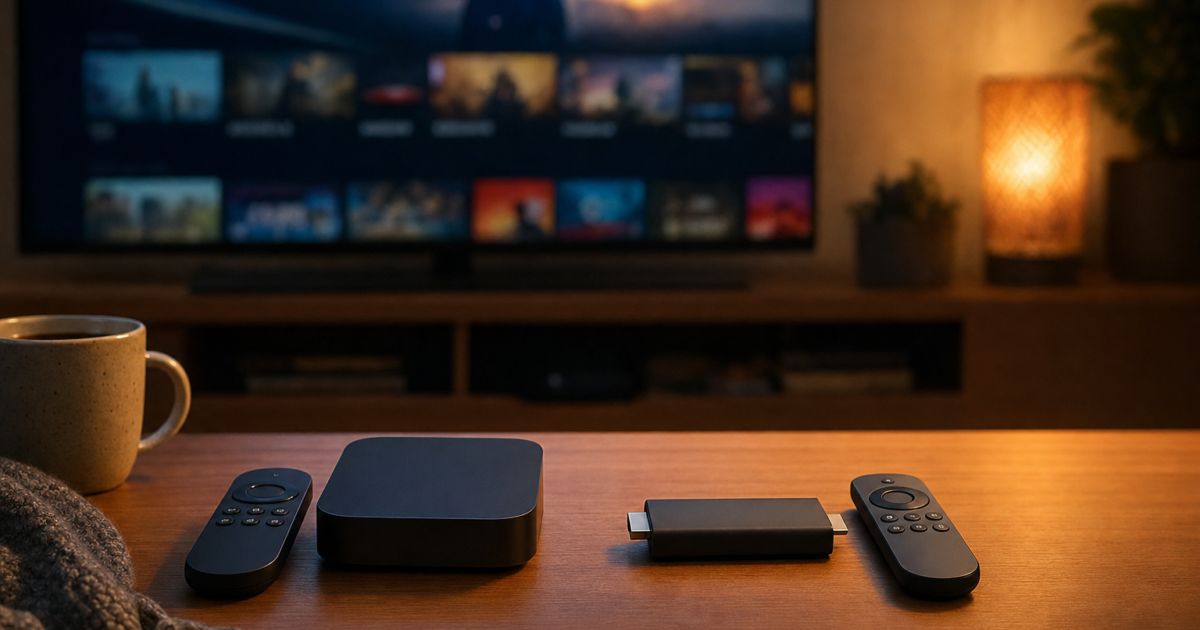
Been struggling to figure out which streaming device is actually worth your money? You’re not alone. The Apple TV 4K and the Amazon Fire TV Stick 4K are two of the most popular streaming devices out there, and picking between them isn’t as simple as “which one is cheaper?” (though that’s definitely part of it).
Both devices can turn any TV into a smart TV, stream 4K HDR content with Dolby Vision and Dolby Atmos, and give you some level of smart home control. But they take very different approaches to doing all of that. In this guide, we’ll break down exactly how they compare across price, performance, streaming quality, gaming, and smart home features, so you can stop guessing and just pick the right one.
The Devices We’re Comparing in 2026
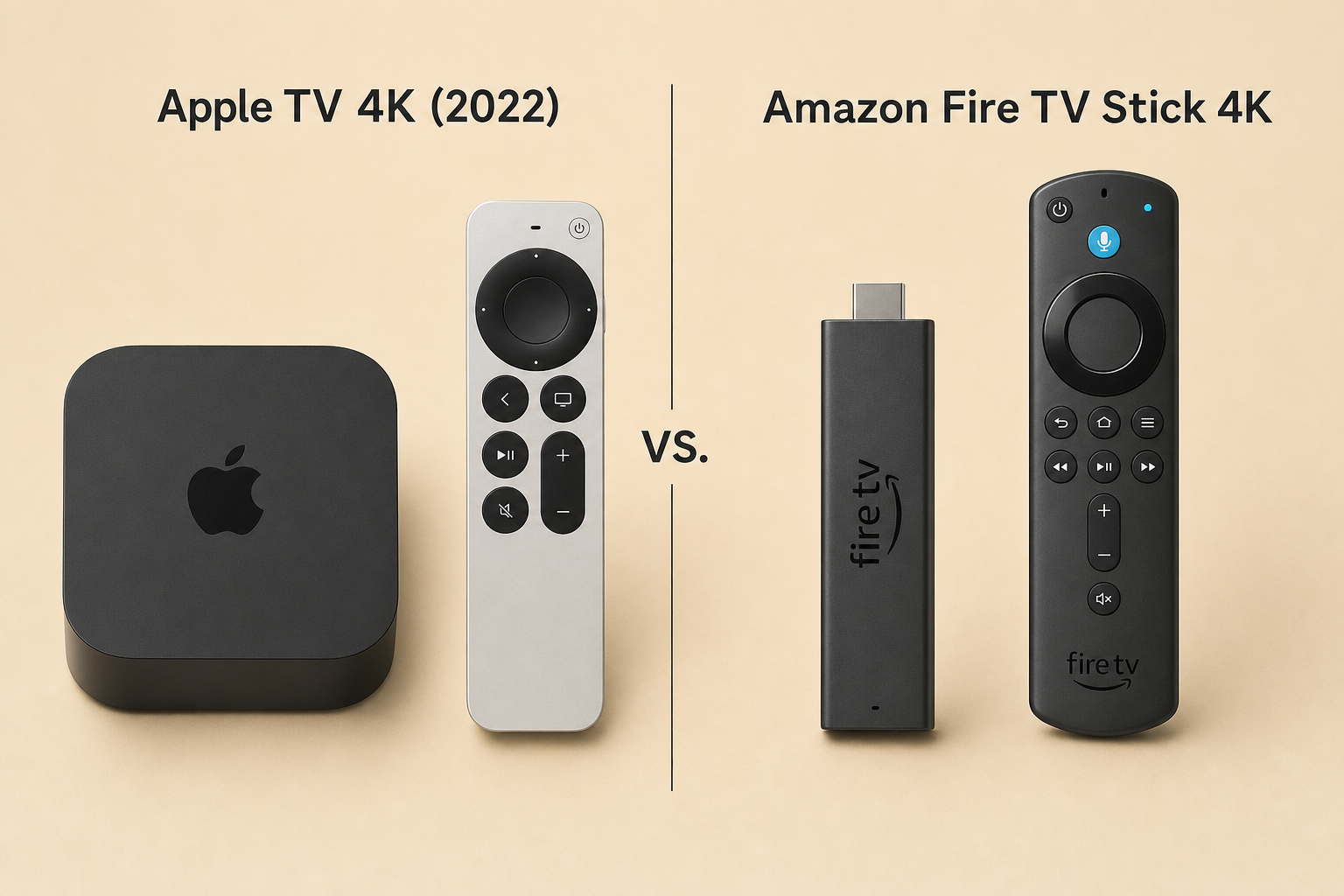
Before we dive in, let’s get clear on what we’re actually comparing. Both companies have updated their lineups since the original versions of these devices launched.
- Apple TV 4K (3rd generation, 2022): Still Apple’s current flagship streaming box. It runs on the A15 Bionic chip (the same chip found in the iPhone 13 series), comes with 4 GB of RAM, and is available in 64 GB (Wi-Fi only) and 128 GB (Wi-Fi + Gigabit Ethernet) configurations.
- Fire TV Stick 4K (2nd generation, 2023): Amazon’s updated 4K streaming stick with a quad-core 1.7 GHz processor and 2 GB of RAM. It supports all the major HDR formats and plugs directly into your TV’s HDMI port.
- Fire TV Stick 4K Max (2nd generation, 2023): A step up from the standard 4K stick, with a faster processor, 16 GB of storage, and Wi-Fi 6E support for better wireless performance.
On paper, the Apple TV 4K is in a completely different performance league. But does that mean it’s the right choice for you? That’s what we’re here to figure out.
Price and Value
Let’s get the elephant in the room out of the way first: there’s a massive price gap between these two devices.
- Fire TV Stick 4K: Around $39–$49 (and Amazon puts it on sale constantly, especially around Prime Day and Black Friday)
- Fire TV Stick 4K Max: Around $49–$69 depending on sales
- Apple TV 4K (64 GB, Wi-Fi): Around $129
- Apple TV 4K (128 GB, Wi-Fi + Ethernet): Around $149
The Fire Stick costs roughly a third of what the Apple TV costs. That’s a significant difference, especially if you just want something to stream Netflix and Disney+ in 4K. But as you’ll see in the sections below, you do get a lot more for that extra money with the Apple TV. Whether that extra value matters to you depends on how you use it.
Winner, Price: Amazon Fire TV Stick (and it’s not particularly close)
Design and Hardware
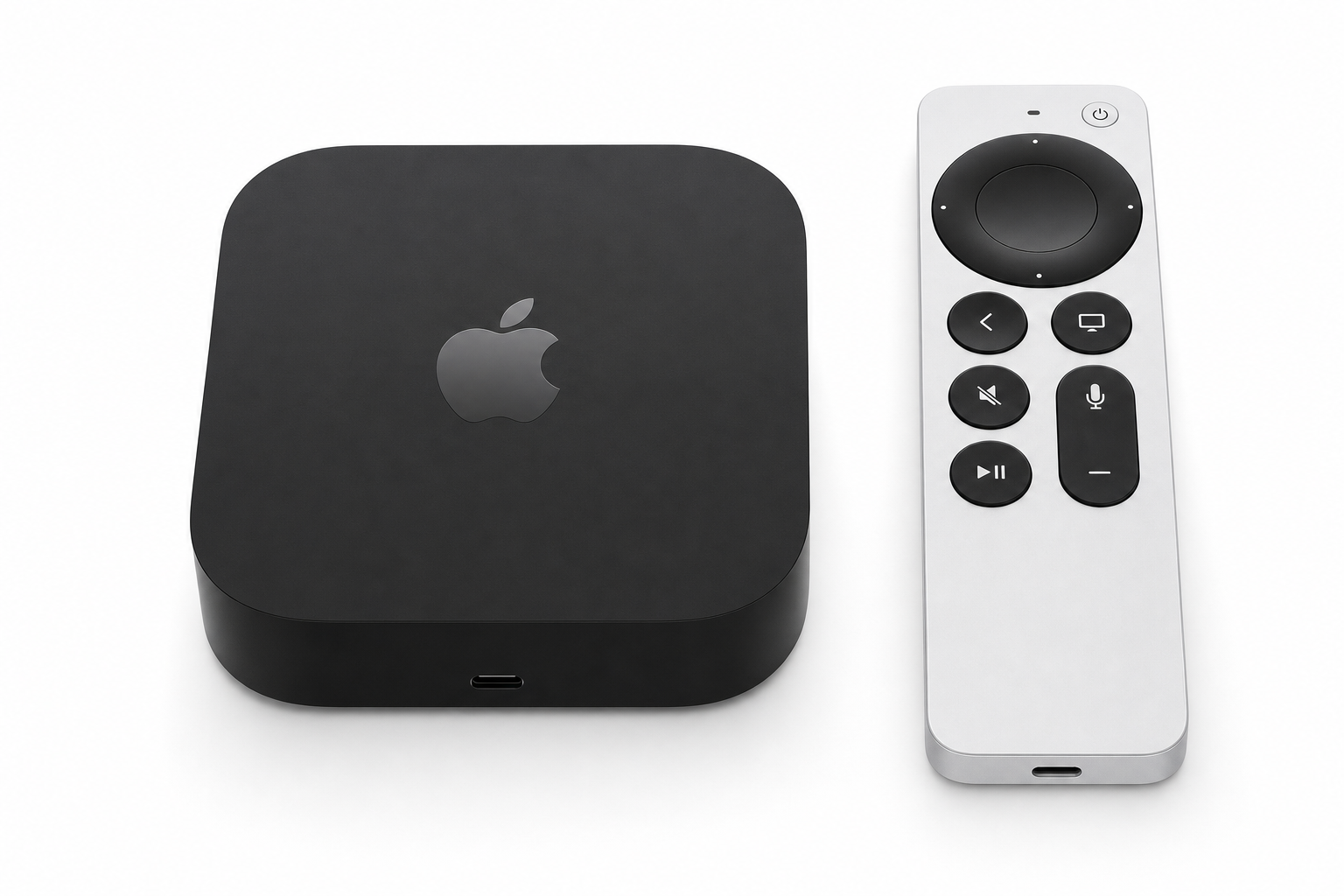
Apple TV 4K
The Apple TV 4K is a small black box, about the size of a hockey puck, that sits next to your TV rather than plugging directly into it. You’ll need an HDMI cable to connect it to your display, and you’ll need a surface or shelf to set it on. It’s not ideal if your TV is wall-mounted with no shelf underneath, but the compact design does look clean and unobtrusive.
The 128 GB model adds a Gigabit Ethernet port for a wired internet connection, which is much more reliable than Wi-Fi for 4K streaming, as well as a Thread radio, which makes it a hub for Matter and Thread smart home devices. More on that in the smart home section.
It comes with the Siri Remote, a sleek aluminum remote with a touch-enabled clickpad that gives you precise control over the cursor on screen. You can also use your iPhone as a remote directly from Control Center, which is genuinely handy.
Fire TV Stick 4K / 4K Max
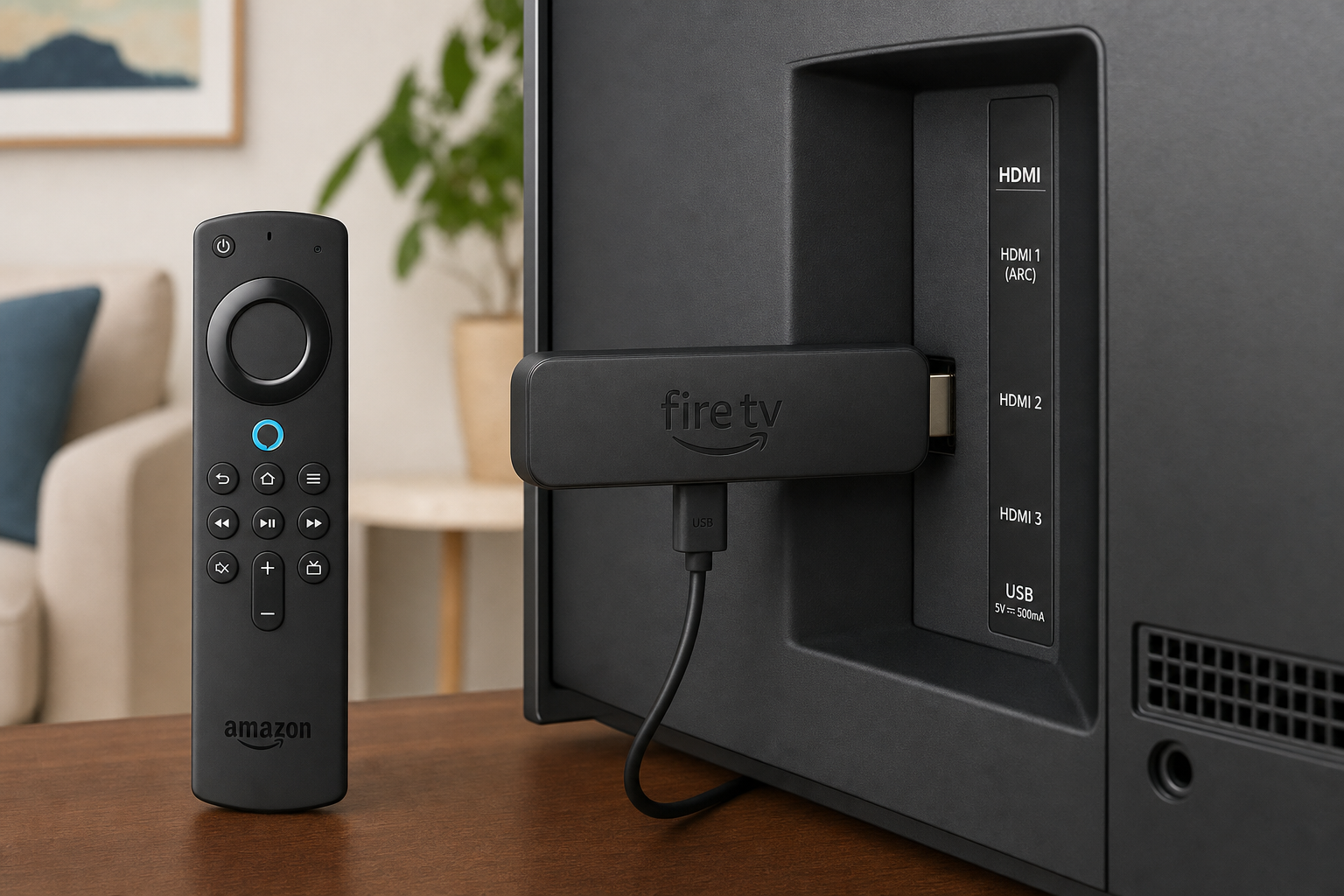
The Fire TV Stick is exactly what it sounds like: a small HDMI dongle that plugs directly into the back of your TV. It comes with an HDMI extender cable in the box, which is useful if your TV’s HDMI ports are awkwardly placed or wall-mounted tight against the wall. It draws power via USB, either from your TV’s USB port or from a wall outlet (Amazon recommends the outlet for better performance).
The slim, stick design is a real advantage if your TV is mounted high on a wall with no shelf nearby. There’s nothing to hide; it just disappears behind the TV. The included Alexa Voice Remote has dedicated shortcut buttons for popular streaming apps and a microphone button for Alexa voice commands.
Winner, Design: Tie. It depends entirely on your setup, and box vs. stick is a personal preference thing.
Performance and User Experience
This is where the Apple TV 4K really pulls ahead, and it’s not subtle.
The A15 Bionic chip with 4 GB of RAM makes the Apple TV 4K one of the fastest streaming devices you can buy. Apps open instantly, scrolling is buttery smooth, and you never really feel like you’re waiting for the device to catch up with you. The interface is clean, minimal, and almost completely free of ads.
The Fire TV Stick 4K is perfectly capable for everyday streaming. It handles Netflix, Prime Video, Disney+, and YouTube just fine. But it’s noticeably slower than the Apple TV when switching between apps or when you’ve got a bunch of apps installed. The 8 GB of storage on the standard 4K model (only about 5.3 GB is actually usable) fills up faster than you’d expect, and once it does, things slow down even more. The 4K Max’s 16 GB gives you more breathing room, but it’s still a fraction of what the Apple TV offers.
The bigger complaint about Fire TV, though, is the home screen. Amazon has made it increasingly ad-heavy over the years. You’ll see promoted content, sponsored tiles, and Amazon Prime recommendations front and center every time you turn it on. It’s not a dealbreaker for everyone, but if a cluttered, commercial-feeling interface drives you crazy, the Apple TV’s clean grid layout will feel like a breath of fresh air.
Winner, Performance: Apple TV 4K (by a clear margin)
Streaming Quality and Formats
Good news: both devices are genuinely excellent at the thing they’re primarily designed to do, which is stream video. Here’s a quick look at what each supports:
| Format | Apple TV 4K | Fire TV Stick 4K | Fire TV Stick 4K Max |
|---|---|---|---|
| 4K (up to 60fps) | ✅ | ✅ | ✅ |
| HDR10 | ✅ | ✅ | ✅ |
| HDR10+ | ✅ | ✅ | ✅ |
| HLG | ✅ | ✅ | ✅ |
| Dolby Vision | ✅ | ✅ | ✅ |
| Dolby Atmos | ✅ | ✅ | ✅ |
| Dolby Digital Plus | ✅ | ✅ | ✅ |
In practice, most AV enthusiasts agree that on a properly set-up 4K HDR TV, the real-world picture quality difference between the two is minimal. Both can look stunning. The bigger factors are your TV’s quality, your internet connection speed, and whether the streaming app you’re using actually supports Dolby Vision or Atmos on that platform.
The honest takeaway here: don’t choose one device over the other based on picture quality alone. The decision is really about everything else, including performance, ecosystem, and price.
Winner, Streaming Quality: Tie
Apps and Ecosystem
Both platforms cover all the major streaming services you’d want: Netflix, Prime Video, Disney+, Apple TV+, YouTube, Hulu, Max, Paramount+, Spotify. They’re all there on both devices, so that’s not really a differentiator anymore.
Where things get interesting is the ecosystem each device plugs into.
Apple TV 4K
If you’re already using an iPhone, iPad, Mac, or AirPods, the Apple TV feels like a natural extension of your existing setup. AirPlay 2 lets you wirelessly beam content from your iPhone or Mac directly to your TV, which is really handy when you want to share something quickly. You can use your iPhone as a remote. Multi-user profiles mean everyone in your household gets their own personalized “Up Next” queue. And newer tvOS features have added some genuinely cool tricks, like FaceTime on your TV using your iPhone as the camera (via Continuity Camera).
The App Store has a solid selection, and with 64 or 128 GB of storage, you can install plenty of apps and games without ever worrying about running out of space. The downside: you can’t sideload apps (install apps from outside the App Store). What you see in the App Store is what you get.
Fire TV Stick 4K / 4K Max
If you’re an Amazon household, with a Prime membership, Echo speakers, Ring cameras, and Amazon Music, the Fire Stick slots right into that world. Alexa integration is deep and genuinely useful: you can control smart home devices, search for content by voice, and manage your whole TV experience hands-free.
One area where Fire TV has a real edge over Apple TV is sideloading. You can install apps that aren’t in the Amazon Appstore using a simple app called Downloader, which opens up access to third-party streaming apps and services. This is a big deal for some users, particularly cord-cutters who use apps that aren’t officially available on mainstream platforms.
Winner, Ecosystem: Depends on your household. Apple ecosystem? Apple TV wins. Amazon/Alexa ecosystem? Fire TV wins.
Gaming
Neither of these devices is going to replace your PlayStation or Xbox, but gaming is worth talking about.
The Apple TV 4K has access to Apple Arcade, a subscription gaming service ($6.99/month, or included with Apple One) with a curated library of premium games. These aren’t the ad-stuffed, freemium mobile games you’re used to. Apple Arcade titles are full, polished experiences. Think multi-hour RPGs, puzzle games, and platformers, and they work with MFi-compatible Bluetooth game controllers.
The Fire TV Stick 4K has access to Amazon Luna, Amazon’s cloud gaming service. Luna streams console-quality games over the internet, so you don’t need any local processing power; the heavy lifting happens in Amazon’s cloud. It’s a solid option if your Wi-Fi is fast and reliable, though you’ll notice some latency compared to playing locally. Luna offers different channel subscriptions depending on what games you want to play.
Winner, Gaming: Tie. Apple Arcade is more polished, but Luna gives Fire TV access to bigger console titles via the cloud.
Smart Home Integration
Both devices offer smart home control, but they approach it very differently.
Apple TV 4K
The Apple TV 4K, specifically the 128 GB Ethernet model, doubles as a Matter and Thread hub for your smart home. Matter is the new universal smart home standard that lets devices from different brands work together seamlessly. Thread is the underlying wireless protocol that Matter devices often use. Having the Apple TV 4K as your hub means your smart home automations keep running even when your iPhone isn’t home, and you get remote access to all your HomeKit devices from anywhere.
If you’re building a modern smart home with Matter-compatible devices, this is a genuinely compelling feature that no Fire TV stick can match.
Fire TV Stick 4K / 4K Max
The Fire Stick integrates tightly with Alexa and the broader Amazon smart home ecosystem. You can use the Alexa Voice Remote to control your lights, thermostat, locks, and other Alexa-compatible devices without picking up your phone. If you already have Echo devices around your house, the Fire Stick fits right into that setup.
The key difference is that the Fire Stick is an Alexa endpoint, not a hub. It works with Alexa, but it doesn’t replace an Echo or a dedicated smart home hub for running automations and routines.
Winner, Smart Home: Apple TV 4K (especially the 128 GB Ethernet model) for Matter/Thread hub functionality. Fire TV if you’re already deep in the Alexa ecosystem.
Other Streaming Devices to Consider in 2026
Apple TV and Fire TV are the two most popular options, but they’re not the only players in the game. Here’s a quick look at what else is worth knowing about:
- Google TV (Chromecast with Google TV and newer Google TV streamers): A great middle-ground option for households that use both Android and iOS. Strong content discovery, excellent YouTube integration, and Google Assistant built in. Also supports sideloading for the tinkerers out there.
- Roku: Still one of the simplest, most neutral streaming platforms around. No ecosystem lock-in, easy to use, and great for families who just want to watch TV without fussing with settings.
- Onn 4K Plus (US) / Budget Google TV devices: If you want Google TV on the cheap, these budget options deliver solid performance at an even lower price than the Fire Stick.
- Your Smart TV’s built-in OS: If you bought a recent TV with a decent built-in OS (like LG’s webOS, Samsung’s Tizen, or Google TV), you might not need a separate streaming device at all.
Tips and Troubleshooting
Common Issues
Problem: Fire TV Stick keeps showing “low storage” warnings
This is a super common issue with the standard Fire TV Stick 4K, which only has about 5.3 GB of usable storage. To free up space:
- Go to Settings > Applications > Manage Installed Applications
- Select apps you rarely use and choose Uninstall or Clear Cache
- Consider upgrading to the 4K Max (16 GB) if storage is a recurring problem
Problem: Apple TV 4K won’t connect to HomeKit devices remotely
Remote access to HomeKit requires the Apple TV to be set up as a Home hub. To check:
- On your Apple TV, go to Settings > Users and Accounts
- Make sure your Apple ID is signed in
- The Apple TV should automatically become a Home hub. You’ll see its status in the Home app on your iPhone under Home Settings
Problem: Fire TV home screen is too cluttered with ads
Unfortunately, Amazon’s ad-supported home screen is largely baked into the Fire TV experience and can’t be fully disabled. You can minimize it by:
- Setting your most-used apps as favorites so they appear at the top of your home screen
- Using the My Stuff section to jump straight to your apps and watchlist
- Disabling “Interest-Based Ads” in Settings > Preferences > Privacy Settings (this won’t remove ads, but makes them less targeted)
Pro Tips
- Use a wired connection on the Apple TV: If you have the 128 GB Ethernet model, plug it into your router with an Ethernet cable. You’ll get a more stable, faster connection for 4K streaming, especially during peak hours when Wi-Fi can get congested.
- Use your iPhone as an Apple TV remote: Swipe down from the top-right corner of your iPhone to open Control Center, then tap the Apple TV Remote button. It’s a great backup if you’ve lost the Siri Remote (again).
- Sideload on Fire TV with Downloader: Install the Downloader app from the Amazon Appstore, enable “Apps from Unknown Sources” in Settings > My Fire TV > Developer Options, and you can install APK files for apps not officially available on Fire TV.
- Catch Fire TV Stick sales: Amazon discounts the Fire TV Stick heavily during Prime Day, Black Friday, and Cyber Monday. If the price is holding you back, it’s worth waiting for a sale.
The Verdict: Which One Should You Get?
After looking at all of this, here’s the honest summary: both devices solve the streaming problem, but they’re aimed at pretty different types of users.
| Choose… | If you… |
|---|---|
| Apple TV 4K | Use iPhone, iPad, or Mac and want everything to work together seamlessly |
| Apple TV 4K | Want the fastest, smoothest streaming experience with a clean, ad-free interface |
| Apple TV 4K | Are building a smart home with Matter/Thread devices and want a proper hub |
| Apple TV 4K | Want Apple Arcade, AirPlay 2, or FaceTime on your TV |
| Fire TV Stick 4K | Want a capable 4K HDR streamer without spending a lot of money |
| Fire TV Stick 4K | Already use Alexa, Echo speakers, or other Amazon devices |
| Fire TV Stick 4K | Want to sideload apps or use third-party streaming services |
| Fire TV Stick 4K Max | Want the Fire TV experience with more storage and Wi-Fi 6E for future-proofing |
If you’re deep in the Apple ecosystem and want the absolute best streaming experience money can buy, the Apple TV 4K is worth every penny. It’s genuinely the most polished streaming device available in 2026. But if you just want something affordable that streams everything in 4K HDR and plays nicely with Alexa, the Fire TV Stick 4K is a fantastic deal that most people will be perfectly happy with. You don’t need to feel stuck choosing the “wrong” one. Both are great at what they do, and now you know exactly which one fits your life.