

If you’re struggling to keep track of important birthdays for friends and family, you need to get organized. An old school calendar (or even a Google calendar notification) could remind you when to send a card or purchase a special gift, but there are other ways you can keep track, including using your Facebook profile.
Facebook users often leave their birthdays visible on their profile, allowing other users to wish them a happy birthday when the day comes (unless they’ve bumped up their privacy settings). You can use this feature to find birthdays on Facebook quickly—here’s how.
How to View Birthday Notifications on Facebook
If you’re friends with somebody on Facebook, and they’ve set their birthday to be publicly available, you should receive a notification on the day of their birthday as long as your notification settings aren’t disabled.
On PC and Mac
- To view Facebook birthday notifications on your PC or Mac, open the Facebook website and sign in.
- Once you’ve signed in, select the Notifications icon in the top-right.
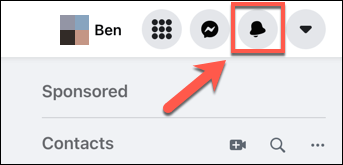
- If one of your friends is having a birthday, Facebook will alert you here. Select the notification to be taken to their profile, allowing you to send a congratulatory birthday message.
On Android, iPhone, or iPad Devices
- To view Facebook birthday notifications on Android, iPhone, or iPad, open the Facebook app and select the Notifications icon in the menu at the top.
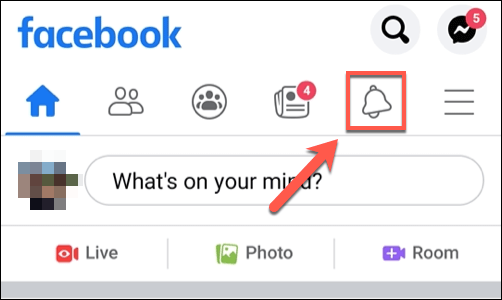
- If you have a friend with a birthday, Facebook will prompt you to send a message. Select the notification to go straight to their profile, allowing you to send a birthday message publicly.
Facebook may also alert you to birthdays when you sign in by prompting you immediately above your contacts list in the top-right corner.
How to View Upcoming Birthdays on Facebook
Facebook will alert you when it’s a friend’s birthday. But if it isn’t, you can check a calendar of birthdays using your Facebook profile. All your friends with publicly accessible birth dates visible on their profiles will be listed here.
On PC and Mac
- To view your Facebook birthday calendar, open the Facebook website and sign in.
- Once you’ve signed in, select the Events option in the menu on the left.
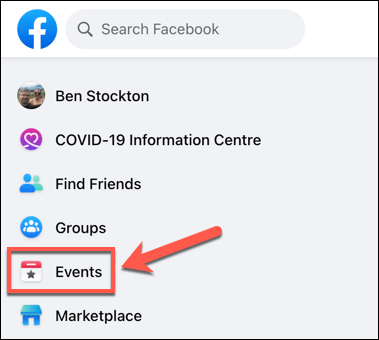
- In the Events menu, select Birthdays in the left-hand menu.
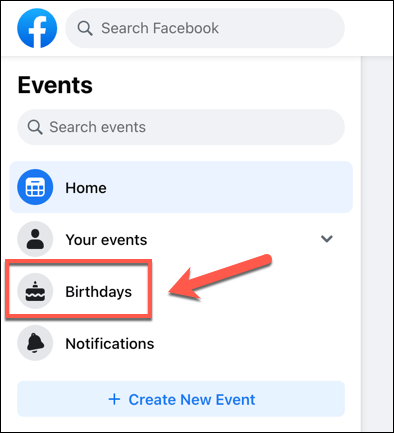
- Alternatively, select the Friends icon at the top, then select Birthdays from the left-hand menu.
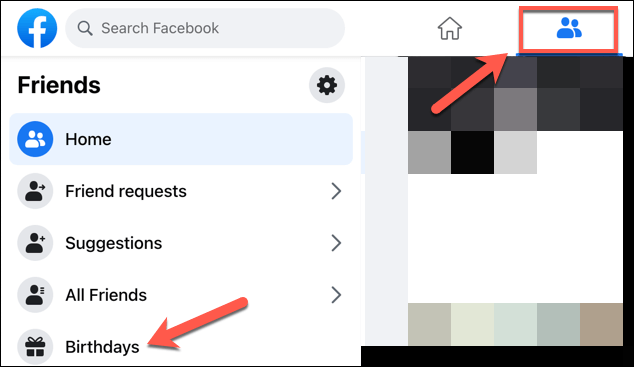
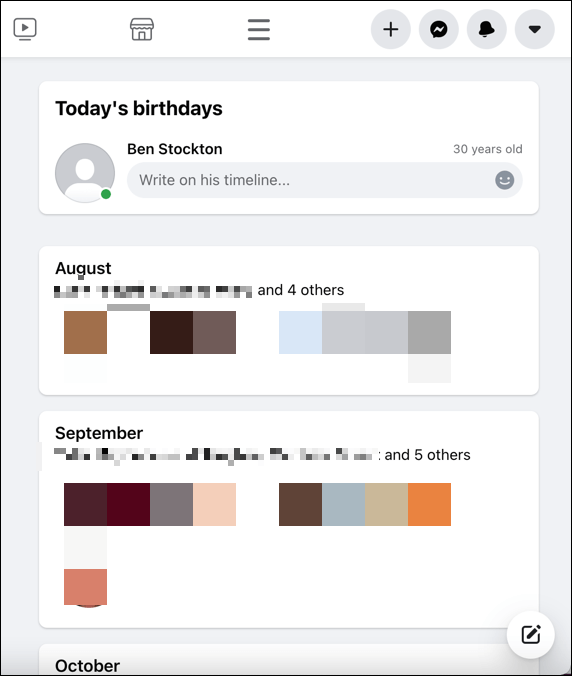
- In the Birthdays menu, your Facebook friends will be separated by their birth months. Starting with the current month (or next available birthday, depending on your friends’ list), you’ll be able to see each friend’s birthday listed.
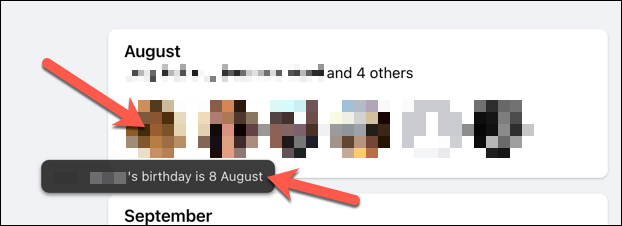
- Hover over the friend’s profile icon in the Birthdays menu to view their birthday in the pop-up box.
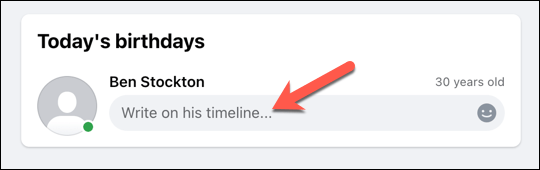
- If you have a friend with a current birthday, you’ll be able to write a message on their profile directly in the Birthdays menu. Type a message into the box provided and select the Enter key to send the message.
On Android, iPhone, or iPad Devices
- To view your Facebook birthday calendar on Android, iPhone, and iPad devices, open the app and select the menu icon in the top-right.
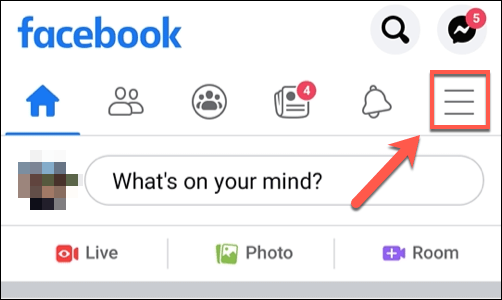
- From the menu, select the search icon.
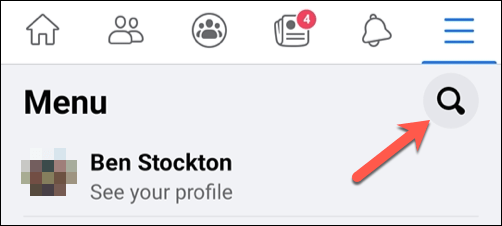
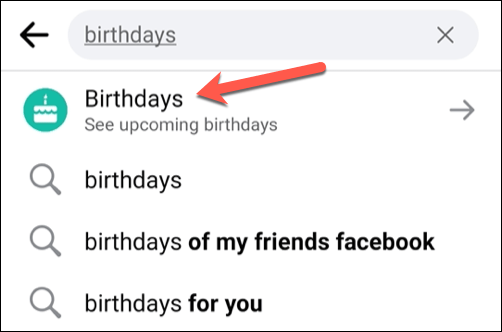
- Using the search bar, type birthdays. Select the Birthdays (see upcoming birthdays) option that appears at the top.
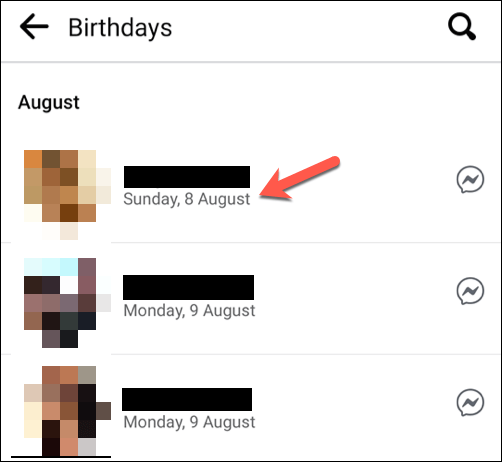
- In the Birthdays menu, you’ll be able to view all upcoming birthdays for your Facebook friends, starting with the next birthday. Underneath your friend’s name will be the date of their next birthday.
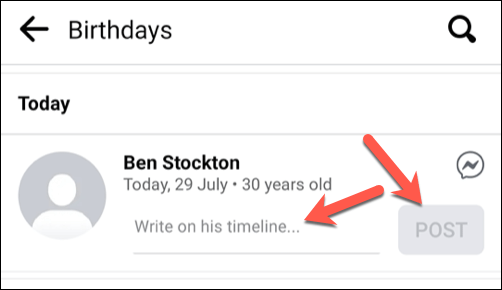
- If it’s your friend’s birthday, an option will be available to post a congratulatory message on their profile or to contact them on Facebook Messenger. Type a message in the box provided and select the Post button to do this, or select the Facebook Messenger icon above it instead.
How to Find Birthdays on Facebook Profiles
For Facebook friends with visible birth dates on their profile, it’s easy to look this information up at any time by visiting that friend’s profile. If you can view the data, you can check the date. This may or may not include the birth year (and thus the person’s age), depending on that person’s privacy settings.
On PC or Mac
- To find the birth dates of Facebook friends on a PC or Mac, open the Facebook website and sign in.
- Once you’ve signed in, use the search bar in the top-left to search for your friend by name.
- Select the friend’s name in the search results to view their profile.
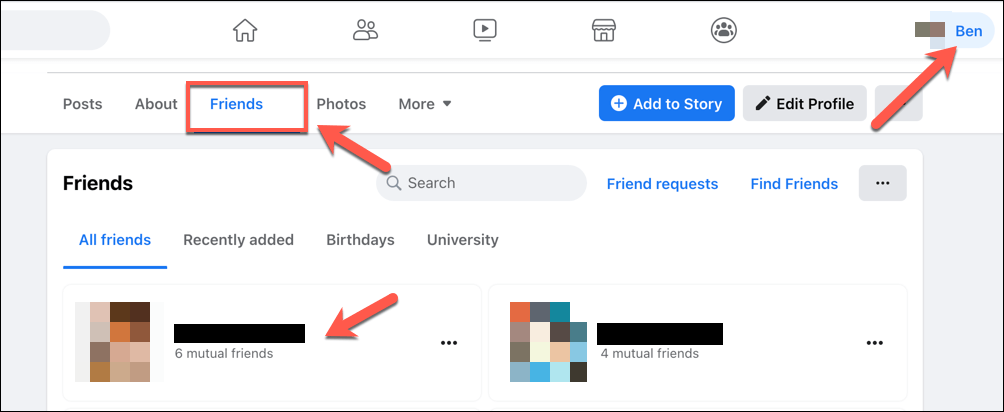
- Alternatively, select your profile icon in the top-right, then select Friends on your profile list. Your friends will be listed here—select one of them to view their profile.
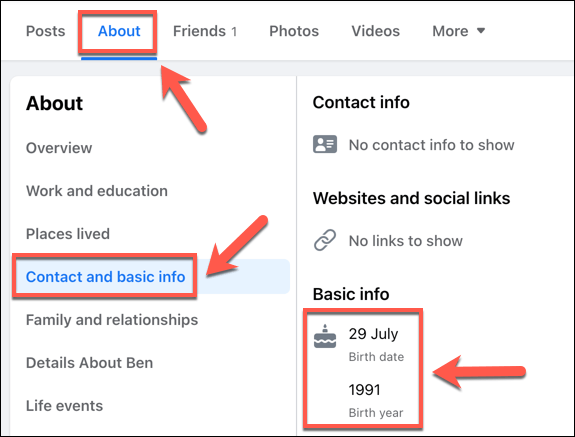
- On your friend’s profile page, select About > Contact and basic info to see information about their birth date. If their birthday is visible, you should be able to see it listed under the Basic Info section.
On Android, iPhone, or iPad Devices
- To find birthdays on Facebook profiles via Android, iPhone, or iPad devices, open the Facebook app and select the menu icon in the top-right.
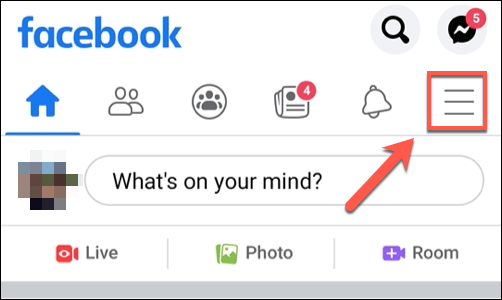
- In the menu, select the search icon.
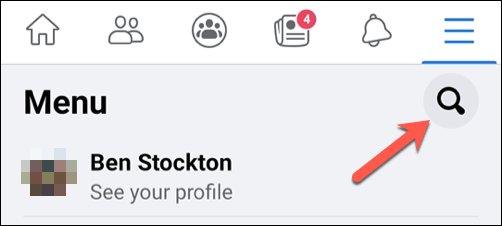
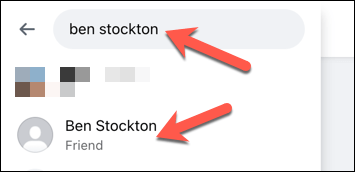
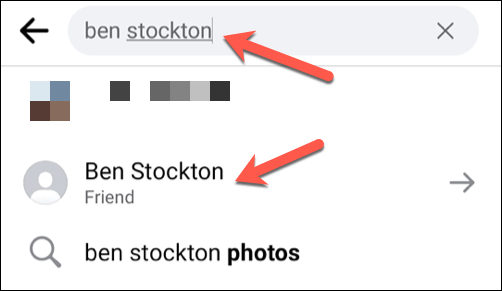
- Using the search bar, search for a Facebook friend or another Facebook user to view their profile, then select their name from the search results.
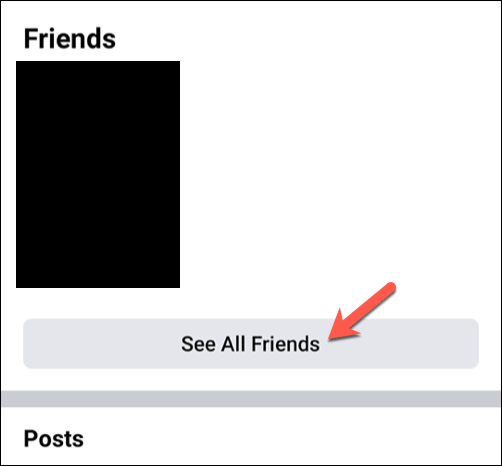
- Alternatively, select the menu icon > See your profile > See All Friends and select one of your friends from your list. You can also select another Facebook user with a public profile to view their birth date, but only if the information is visible to Facebook users who aren’t friends.
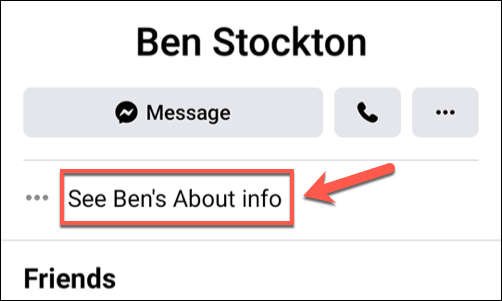
- On your friend’s profile page (or another Facebook user’s public profile), select the About Info option to view more information.
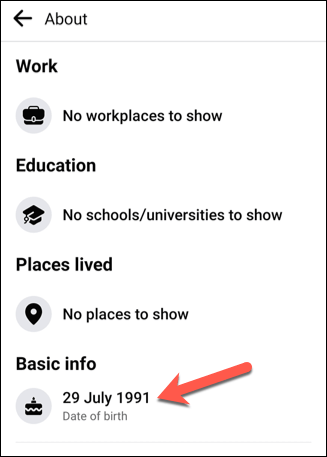
- If the friend you’re viewing has their birthday listed on their Facebook profile, this will be visible in the Basic info section.
Using Facebook Effectively
Finding birthdays on Facebook is just one way you can use the platform to stay informed and keep in touch with old friends and distant family. For example, you can use custom Facebook friends lists to organize your friends into different categories or use Facebook’s sharing tools to limit or increase access to your posts.
If you’re nervous about snoopers, you could use self-destructing messages in Facebook Messenger to make sure your secrets remain secret. You could also use Facebook Pay to send or receive money from your friends. Or, if you’re bored, you could try watching some free-to-access video content using Facebook Watch.