
Emojis are a great way to communicate your thoughts and feelings to another person without using words. Plus, they save you a great deal of effort and time. These days, if you send someone a message with plain text, they might think you’re upset or angry at them. Especially if it’s a close friend.
You’ve probably used emojis before, in text messages or in one of the social media apps. When you can’t quite seem to put your thoughts into words or just to brighten up someone’s mood. But Snapchat emojis are a different story. If you’re new to the app, you might find them rather confusing. They’re more multi-purpose than on other platforms and are used for more than just expressing your emotions in texts.
For example, you can tell how close you’re with a user by looking at the Snapchat emoji and you can even create your own emoji (or bitmoji) on the app.
Let’s have a look at what Snapchat emojis mean and how you can better understand and use them.
What Do Snapchat Emojis Mean?
So what’s so different about Snapchat emojis? The main thing is, you don’t just use them in text, but instead you can read them to understand your relationships with your Snapchat friends.
The emojis on the app are used to track activity of both you and your friends. They can be set both manually and automatically. When Snapchat assigns your chat an emoji, the metrics they look at include the amount of snaps you send to one another, and how often you reply to each other’s messages.
Let’s see what you can learn from simply looking at your assigned Snapchat emoji. To see the emoji, open your Snapchat profile and go to the Friends section.
Baby Emoji

The baby face is a pretty straightforward emoji. It means that this user and you just recently became friends on the app.
Birthday Cake

Birthday cake is also easy to read. It means today is your friend’s birthday. Note that it won’t appear unless they included their birthdate on their profile.
Not everybody likes to share that sort of information on social networks. We recommend learning the privacy tips for Snapchat before you start using the app.
#1 Best Friends Emoji
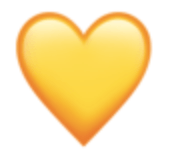
Now let’s look at all the different heart emojis on the app. First one is a simple yellow heart. If you see that next to your friend’s name, it means that you’re each other’s Best Friends on Snapchat. Meaning you’re on top of each other’s contact lists. That’s the person you send and receive the most Snaps from.
BFF Emoji

If you see that yellow heart next to your friend’s name turn red, that means you two have reached a new level of your Snapchat communication. The red heart emoji indicates that user has been your Best Friend on the platform for over two weeks.
Super BFF Emoji

Yes, there’s an upgrade even for the BFF status. You can become Super BFFs on Snapchat if you and your friend keep your BFF status (the red heart) for longer than two months. Then you’ll see a couple of pink hearts next to that contact’s username.
Best Friends Emoji
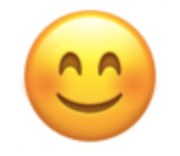
There are different smiley face Snapchat emojis. All of them are used to identify your relationships with the users you’re closest to on the app.
The simple smiley face means that you and the user are each other’s Best Friends. You both send a lot of snaps to one another. This emoji also means that while you’re not at the top of your friend’s contact list, you are in their top eight.
Mutual Best Friends Emoji
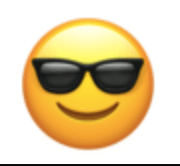
So this is when it’s starting to get tricky. The smiley face with sunglasses on shows you that someone from your Best Friends list is also on the user’s Best Friends list. Basically, you have a mutual user that you send a lot of Snaps to.
Smirk Emoji
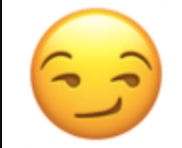
The emoji that has a smirk rather than a smile on it appears when you’re on the user’s Best Friends list while they aren’t on yours. It happens when a user sends you more and more frequent Snaps than you send them.
Grimace Emoji
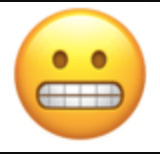
This awkward smile emoji is there to tell you that your #1 Best Friend on Snapchat is also the user’s #1 Best Friend. You both have a strong connection with the same person.
Snapstreak Emojis

When you exchange Snaps with another user for several days in a row, you’ll see a fire emoji next to this friend’s name. It’s called Snapstreak. If you want to continue the Snapstreak, you’ll need to communicate with Snaps only. Messages don’t count.
The longer you go, the more fire emojis you’ll see next to your friend’s name, each indicating one say of the streak. When you reach 100 days’ Snapstreak, you’ll see it change to the 100 emoji.
The hourglass Snapchat emoji shows that you need to send a Snap to this person as soon as possible if you want the Snapstreak to continue.
Sparkles Emoji

Sparkles indicate that you and the user are sharing a Snapchat group chat together.
Golden Star Emoji

Pay attention to the users that have the golden star emoji next to their username. It means that someone replied to their Snap within 24 hours, so they might have something interesting to share.
How To Use Emojis On Snapchat
All of the above-mentioned Snapchat emojis are the default options assigned to all the contacts on your friends list. You can also set your own unique emojis to certain users. It’s only possible with the friends that already have Friend Emojis assigned to them by Snapchat.
To customize your friend emojis, follow these steps:
- Open your Snapchat profile.
- Open Settings.
- For Android, scroll down and find Customize Emojis.
- For iOS, scroll down and find Additional Services > Manage > Friend Emojis.
That way, you can turn your best friend emoji into a pizza slice. Perfect for that special pizza buddy of yours.
Whether you use Snapchat to connect with friends or to spy on your children’s internet use, it’s good to be aware of what each of the Snapchat emojis stand for. It’s a good way to keep track of your connections on the app and see if you’ve maybe neglected some users and started to become overbearing for others.