They have completely removed the post-by email address feature

Over the years, Facebook has constantly changed the way you can update your profile from your phone. Back in the days, you could connect your mobile phone to your account and upload pictures by sending an email to mobile@facebook.com.
At some point, this changed and they created a post-by email address, which was unique for each account. Using this email, you could update your status, post pictures from your phone, etc. However, as more and more users moved to the Facebook app on Android, iOS, Windows Phone, etc, the need to have this alternate mode of posting slowly waned.
Table of Contents
Now Facebook has something called Facebook Texts, which lets you update your status and do a couple of other things over text message. They have completely removed the post-by email address, which means you can’t send photos from your mobile phone anymore via email or text.
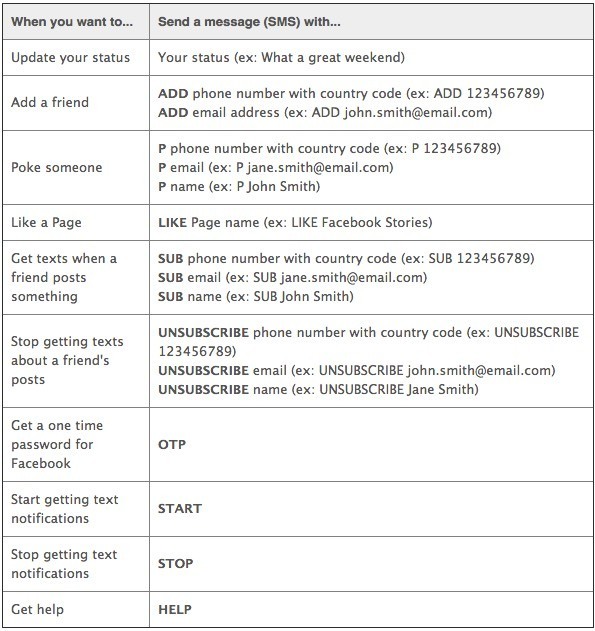
In my opinion, this was not a necessary move. In the U.S., most people might be using smartphones with data plans, but there are millions of people in other countries that still use dumbphones. As of now, other than updating your status via SMS, you can add a friend, poke someone, like a page, get a text when a friend posts something, and get a one-time password. Here is the full list below.
How to Setup Facebook Texts
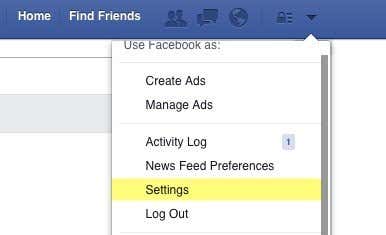
To setup Facebook Texts, log into your Facebook account, click on the little down arrow at the top right and then click on Settings.
On the left hand side, click on Mobile and you should see your current phone number listed if you have added one.
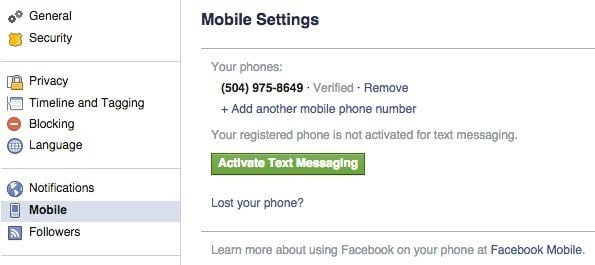
If you don’t have text messaging enabled, you should see a big Activate Text Messaging button below your number. Click on that and a window will popup where you have to first select your country and mobile carrier.
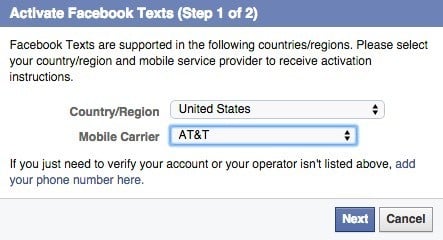
Note that Facebook Texts will only work in certain countries and regions on supported carriers. However, they support most places in the world, so unless you live in the middle of nowhere, you should be able to use Facebook Texts. Click Next and you’ll be asked to send the letter F to a specific number. You will then enter the confirmation code sent to your phone via SMS.
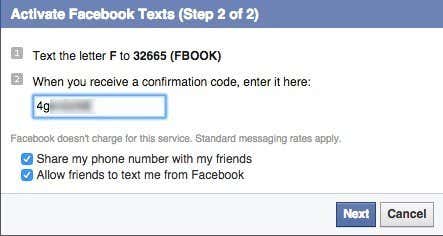
You’ll also have the option to share your phone number with friends and allow friends to text you from Facebook. At this point, you should be good to go.
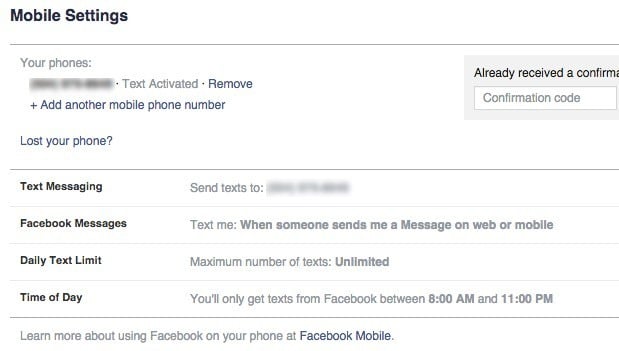
Now you’ll see Text Activated next to your number and you’ll see a couple of new options down at the bottom like Facebook Messages, Daily Text Limit and Time of Day.
By default, you’ll get a text whenever someone send you a message on Facebook. You’ll only get texts from 8 AM to 11 PM, but you can edit any of the settings to your desire.
To post a status update via text message, just type your message normally and send it to the same number given by Facebook when you activated Facebook Texts above.
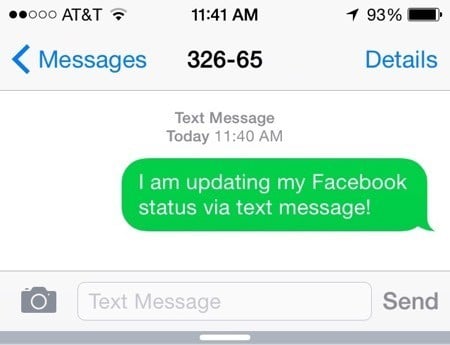
You won’t get any kind of confirmation message back, so you’ll simply have to check your Facebook profile to see if your status got updated.
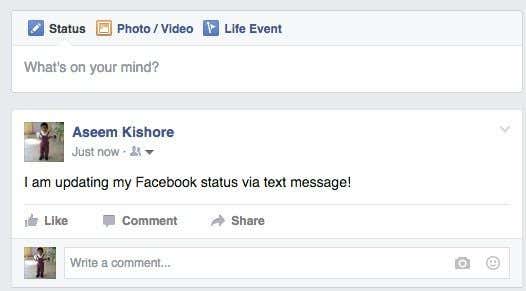
Nice, it worked! You may read some other posts online about being able to post pictures via text by enabling the subject line, putting the word photos as the subject and adding the picture in the body, but this doesn’t work anymore. I tried it myself with no luck.
The one reason why I like Facebook Texts over actually using the app on my iPhone is having the ability to add a friend quickly by number. Usually when I meet someone new, the first thing I get is his or her phone number. All you have to do is send a text with the word ADD in front of their number to add them as a friend.
ADD 123-456-7890
That’s super easy and actually a lot faster than going to the app and searching for the person. Since there are so many people on Facebook, the search will normally return hundreds of results, which is annoying. When you have a phone number, you know you are adding the right person no matter what.
Also, if you are a Facebook stalker, then Facebook Texts will let you stalk someone in real-time. You can subscribe via text by sending SUB followed by the phone number, email, or name of the person. Whenever that person updates their status, you will get an instant text notification.
Even though Facebook has removed the ability to post photos via text and email, they may add it back at a later point if enough people complain. If they do, I’ll make sure to update this post and tell you how to do it. If you have any other questions, feel free to post a comment. Enjoy!