

Ever Googled yourself and cringed at what came up? Maybe it’s an old forum post, a people-search site listing your home address, or something someone else wrote about you that’s just plain wrong. Whatever the reason, you’re hoping there’s a way to make it disappear, and you’re not alone.
Here’s the honest truth: you can’t just hit a “delete” button and vanish from the internet. But you can do a lot to reduce what shows up, get personal information removed from Google, and clean up your presence on those creepy people-search sites that list your phone number and address for anyone to see. This guide walks you through exactly how to do that in 2026, step by step, no tech expertise required.
What You’re Actually Up Against
Before you dive in, it helps to understand why this is tricky. Search engines like Google don’t store your information, they index it. That means they’re pointing to content that lives on other websites. So if your address is sitting on a people-search site, Google is just showing you where to find it. Remove it from the source, and eventually Google stops pointing there too.
The modern problem is bigger than one bad blog post. In 2026, your personal info is likely scattered across:
- People-search and data broker sites (think Spokeo, Whitepages, BeenVerified, and dozens more)
- Old social media profiles you forgot about
- Public records databases
- Forum posts, comment sections, or news articles
- AI-scraped datasets that republish your info across mirror sites
The good news? There’s a clear process for tackling all of this. Let’s get into it.
Step 1: Search for Yourself First
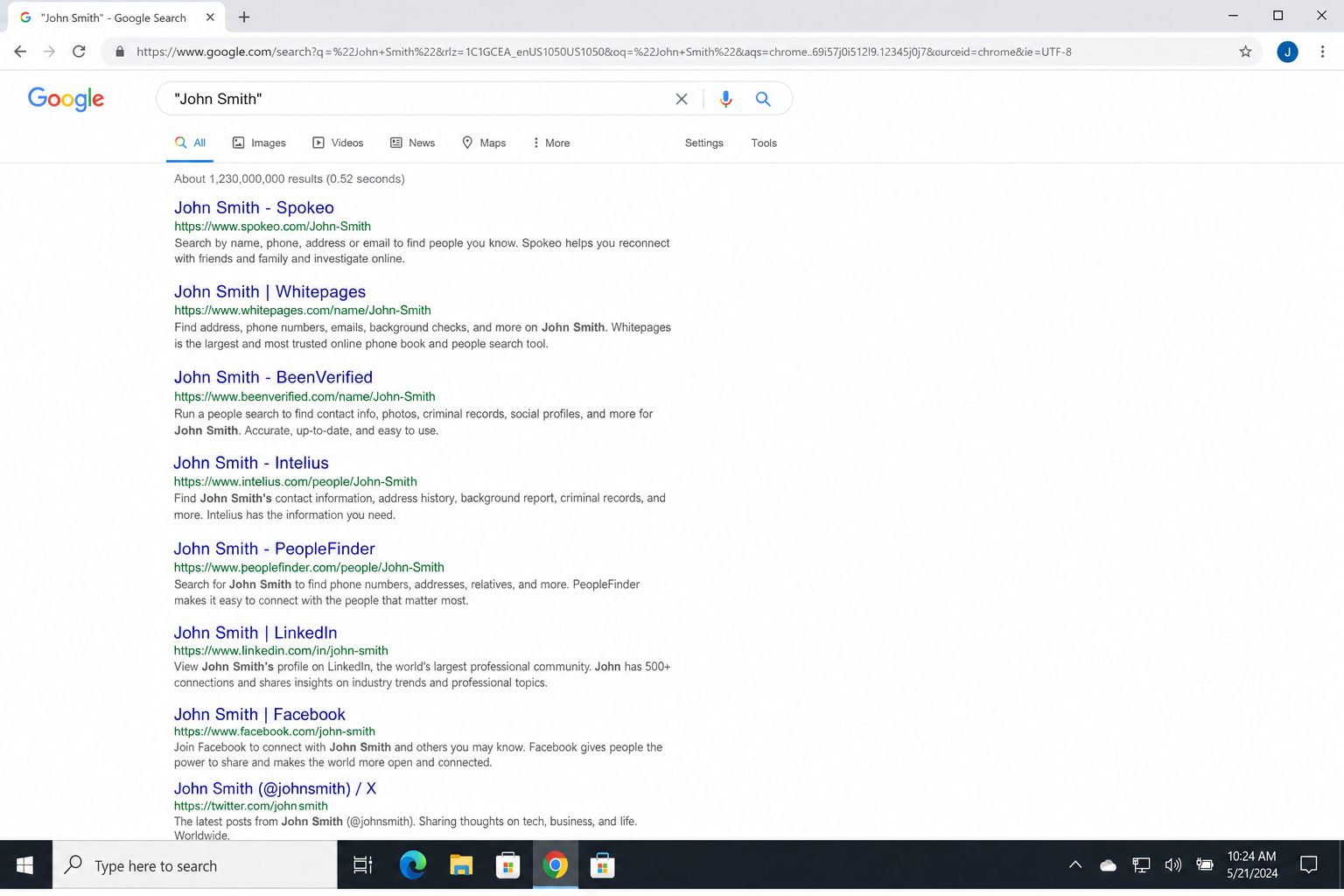
You can’t fix what you don’t know about. Start by doing a thorough self-search so you know exactly what you’re dealing with.
- Search your full name in quotes:
"First Last" - Try variations: maiden name, nickname, middle name, initials
- Add identifiers like your city, employer, or school:
"Jane Smith" Chicago teacher - Check multiple search engines: Google, Bing, DuckDuckGo, and Brave Search can all show different results
Make a list of every result that concerns you. Note the URL, the site name, and what kind of information is showing. This becomes your hit list for the steps below.
Step 2: Remove the Content at the Source (The Best Fix)
If you can get the content removed from the actual website where it lives, it’ll eventually disappear from all search engines on its own. This is always your best first move when it’s an option.
Depending on where the content is, here’s what to do:
- It’s on your own old profile or account: Log in and delete the post, update your privacy settings, or close the account entirely.
- It’s on someone else’s site: Contact the site owner directly and ask them to remove or edit the information. You can find contact details by searching the site name plus “contact” or by looking up the domain at ICANN WHOIS or DomainTools.
- It’s on a social media platform: Use the platform’s built-in reporting or content removal tools to flag the post or request removal.
- The site owner won’t respond or refuses: Move on to the steps below. You still have options.
Keep in mind that even after content is removed from a website, search engines may still show it for a while until their index refreshes. That’s normal. It usually catches up within a few weeks.
Step 3: Use Google’s “Results About You” Tool
This is the biggest change since a few years ago. Google now has a dedicated tool for requesting removal of search results that contain your personal information. It’s free, it’s built right into your Google account, and it’s genuinely useful.
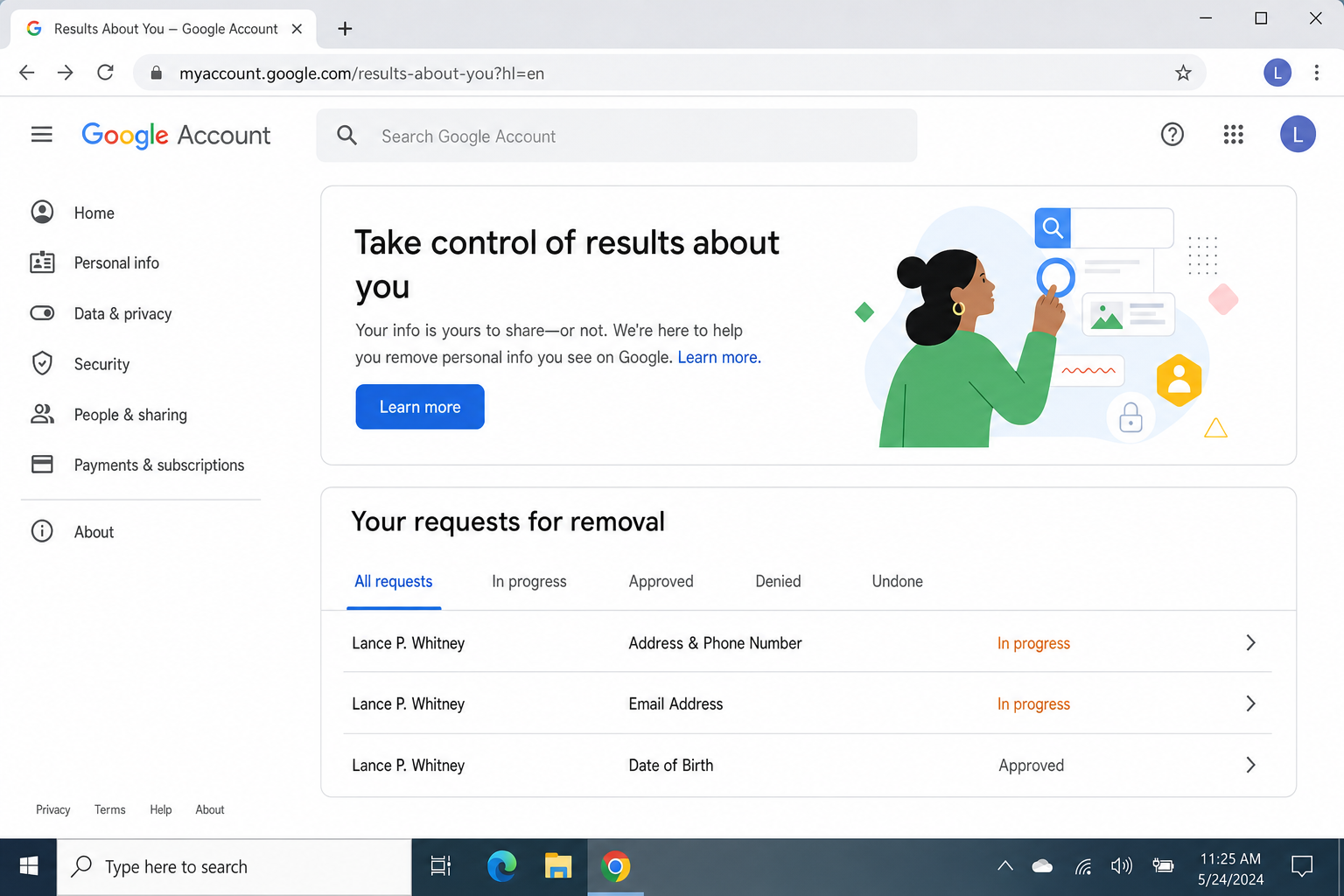
The tool is called Results about you, and it lets you find and request removal of search results that show things like your home address, phone number, or email address.
How to Use “Results About You”
- Go to myaccount.google.com and sign into your Google account.
- Look for the Privacy or Personal info section. The exact label may vary since Google updates its UI regularly.
- Find Results about you (you can also search for it directly at myaccount.google.com/results-about-you).
- Enter the personal information you want to monitor: your name, address, phone number, or email.
- Google will surface any search results that contain that information. Review them and submit removal requests for the ones you want gone.
- You can also set up notifications so Google alerts you when new results containing your info appear.
As of 2026, Google can remove results containing:
- Home addresses
- Phone numbers
- Email addresses
- Login credentials
- Government ID numbers (in supported regions)
- Non-consensual explicit images
- Certain outdated personal data (depending on your location)
One important thing to understand: Google is delisting the result from search, not deleting the underlying page from the internet. The page may still exist; it just won’t show up when someone Googles your name. To get the content fully gone, you still need to go after the source (Step 2).
Step 4: Submit Specific Removal Requests to Google
Beyond the “Results about you” tool, Google has separate removal request forms for specific situations. If your case falls into one of these categories, use the right form. It’ll get reviewed faster and has a better chance of being approved.
- Personal contact info or doxxing: Use Google’s personal information removal request form.
- Non-consensual explicit images: Use Google’s dedicated explicit content removal form.
- Right to be forgotten (EU/UK residents): If you live in the EU or UK, you can request removal of certain search results under privacy law using Google’s legal removal request form. This is a “query-based delisting,” so the result disappears for searches of your name, but the page still exists.
- Defamatory or illegal content: This typically requires legal action (see Step 6 below), but you can still flag it through Google’s content reporting center.
Don’t expect a 100% approval rate. Google reviews every request individually and will reject ones that don’t meet their policies. Things like criminal records, public misconduct, and matters of public interest are very unlikely to be removed.
Step 5: Opt Out of Data Broker and People-Search Sites
This is the step most people skip, and it’s probably the most important one in 2026. Data brokers are companies that collect and sell your personal information: your name, address, phone number, relatives, employment history, and more. People-search sites like Spokeo, Whitepages, BeenVerified, and Intelius pull from these databases and make the info publicly searchable.
The frustrating part? There are hundreds of these sites, and each one requires a separate opt-out request. Here’s how the process generally works:
- Search for your name on the data broker site to find your profile.
- Look for an “opt out,” “remove my info,” or “do not sell my data” link (usually buried in the footer or privacy policy).
- Submit the removal request. You may need to verify via email or phone.
- Repeat for every site that has your information.
- Check back in a few months, because brokers often re-list your data after it’s been removed.
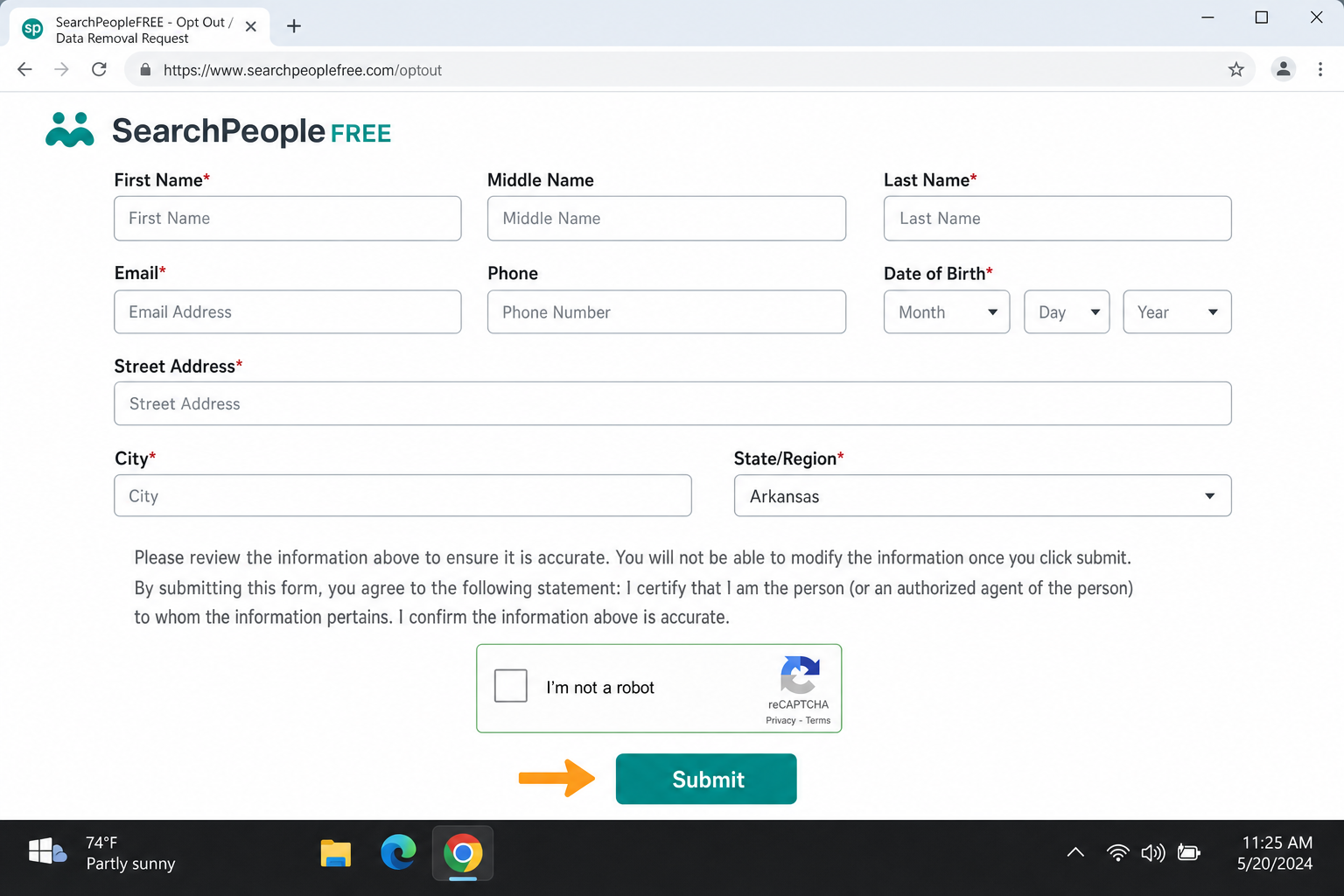
Yes, this is as tedious as it sounds. That’s why a lot of people turn to data removal services (more on those below).
Should You Use a Data Removal Service?
If manually opting out of dozens of sites sounds like your idea of a bad weekend, data removal services do this work for you, automatically and on an ongoing basis. Some well-known options in 2026 include:
- DeleteMe, One of the most established services; handles opt-outs across a large number of broker sites and sends you regular reports.
- Incogni, Sends automated removal requests on your behalf and monitors for re-listings.
- Optery, Has a free tier that shows you where you’re listed, with paid plans that handle removals.
- OneRep, Focuses on ongoing monitoring and re-removal when brokers relist your data.
- Privacy Bee, Covers a wide range of broker types including marketing databases.
These services are subscription-based (typically $10–$20/month), and they’re not perfect. No service covers every broker. But if your info keeps reappearing or you just don’t have the time to do it manually, they’re worth considering.
Step 6: When to Get Legal Help
If the content about you is genuinely defamatory, harassing, or illegal, and the site owner refuses to take it down, you may need to escalate to legal action. This sounds scarier than it often is.
Here’s a realistic breakdown of your legal options:
- Cease and desist letter: A lawyer drafts a formal letter demanding the content be removed. This alone is often enough to get results, as many people back down when they see official legal letterhead.
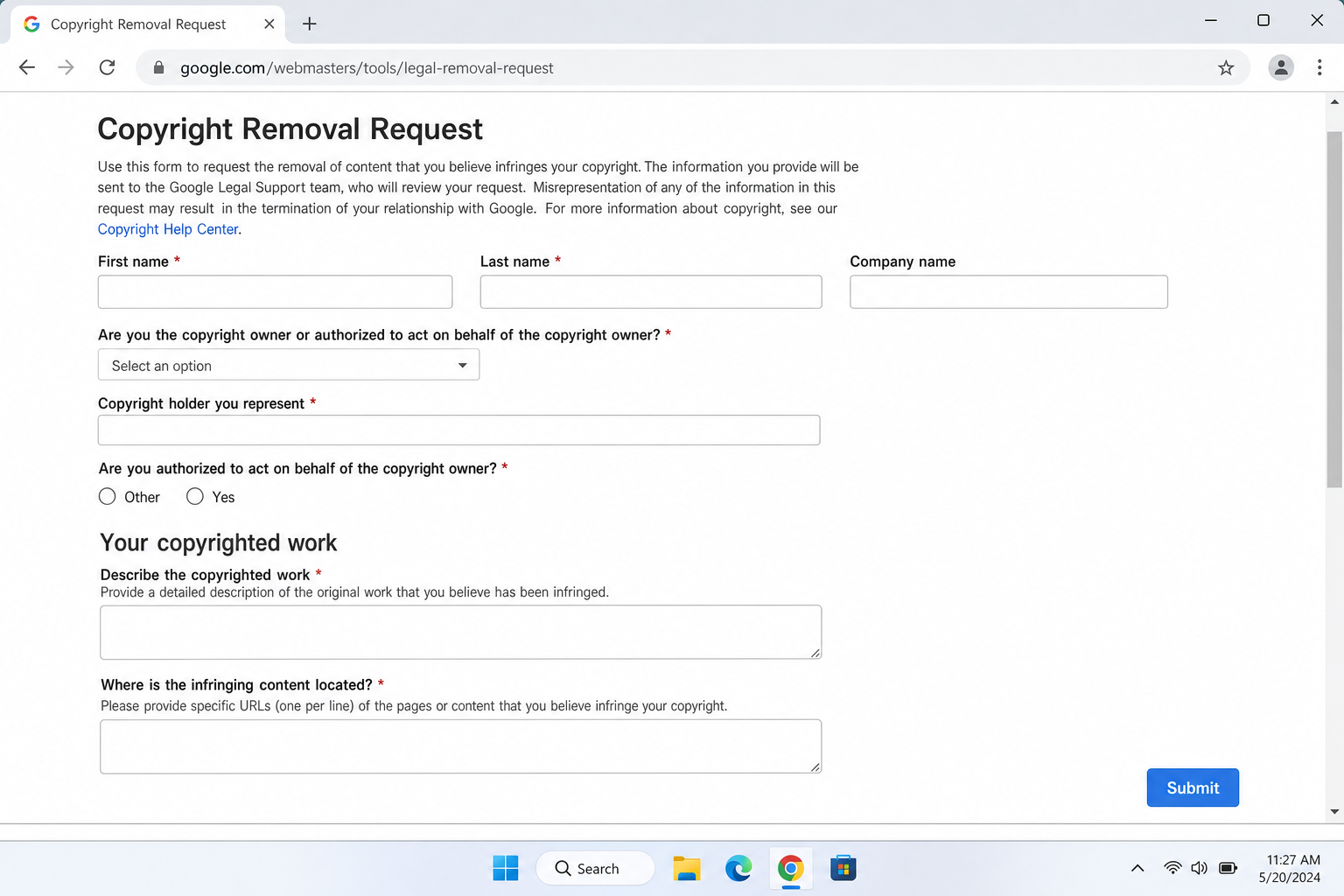
- DMCA takedown: If the content includes copyrighted material (like your photos used without permission), a DMCA takedown notice can force the hosting company to remove it. No lawsuit required.
- Contact the hosting company: Even without a lawyer, you can report abusive or terms-of-service-violating content directly to the web host. You can find who hosts any website using a tool like WHOIS. Most reputable hosts take abuse complaints seriously.
- Court order: For serious cases such as ongoing harassment or false statements causing real harm, a court order can compel removal. This takes more time and money, and gets significantly harder if the site is hosted in another country.
One realistic note: if the person running the site is in a different country, enforcing a court order gets very complicated. In those cases, your best bet is often to focus on de-indexing from search engines rather than trying to take down the original page.
Step 7: Don’t Forget Other Search Engines
Google isn’t the only search engine people use. If you only clean up your Google results, you might still be visible on Bing, Yahoo, DuckDuckGo, or Brave Search. Each has its own removal process. If you’re concerned about privacy across browsers too, it’s worth knowing which are the best web browsers for privacy.
- Bing: Use Bing’s Content Removal tool to request de-indexing of specific URLs.
- Yahoo: Yahoo Search is powered by Bing, so removing from Bing covers Yahoo too.
- DuckDuckGo: DDG pulls results from Bing and its own independent crawler, plus other sources — so it is not purely a Bing mirror. Removing content from Bing often helps with DDG results, but it does not guarantee removal, since DDG may still surface the content through its own index. For persistent results, contact DuckDuckGo directly to report the specific URL.
Step 8: Monitor Your Name Going Forward
Getting your info removed once is great. Keeping it gone is an ongoing process, especially since data brokers regularly re-scrape and re-list information. Here’s how to stay on top of it:
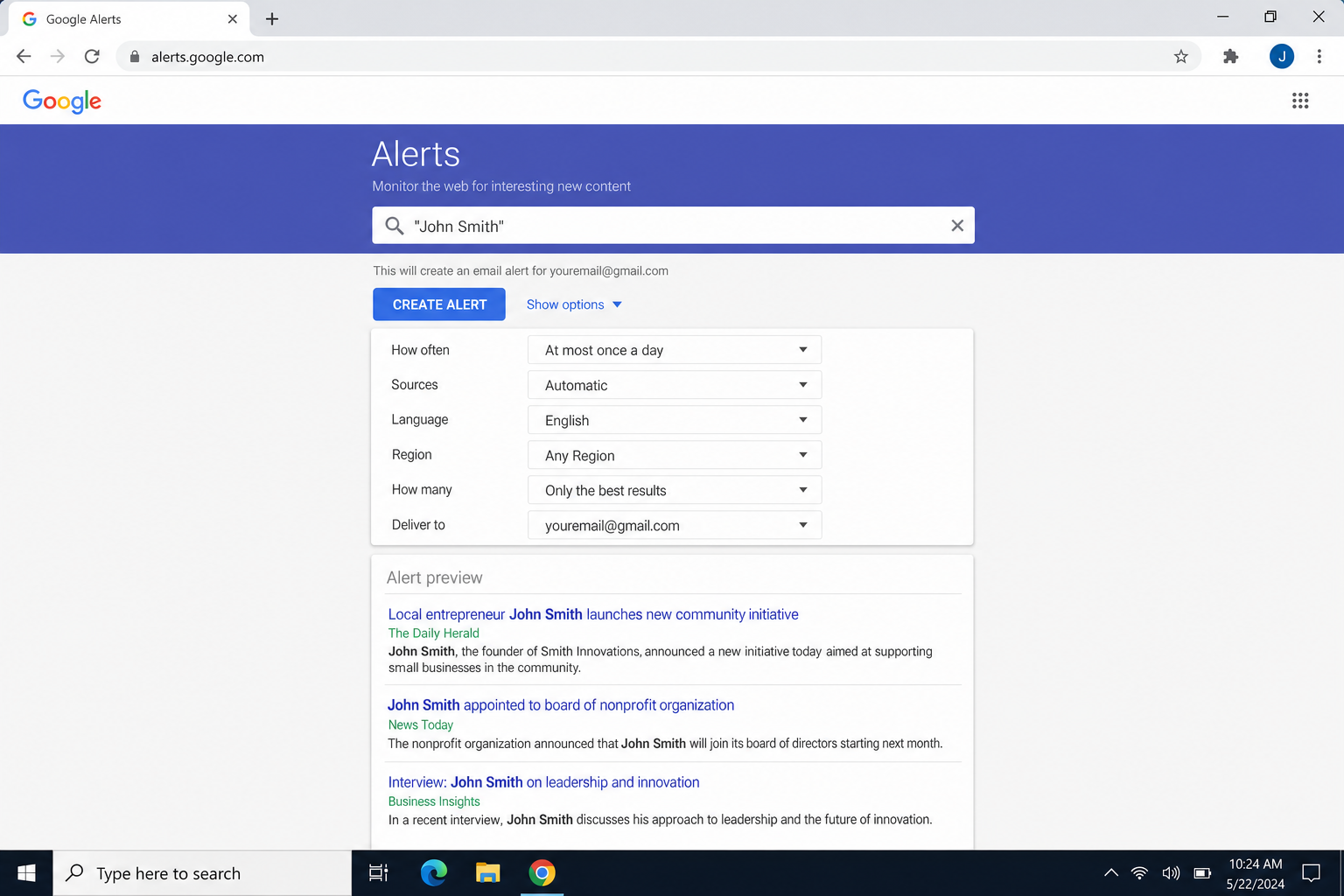
- Set up a Google Alert: Go to google.com/alerts and create an alert for your name (in quotes). You’ll get an email whenever Google indexes new content mentioning you.
- Re-run your self-search every few months: New broker listings pop up regularly. Make it a habit to check quarterly.
- Enable notifications in “Results about you”: Google can alert you when new personal-info results appear for your name.
- Consider an alias for public-facing signups: Using a separate email address or phone number for things like newsletters or online purchases keeps your real contact info off broker lists in the first place.
Tips and Troubleshooting
Common Problems
Problem: I removed it from Google, but it still shows up
That’s expected if the page still exists on the source website. Google’s removal only de-indexes the result. It doesn’t delete the page. You also need to check Bing, archive sites, and data broker listings, which operate independently from Google.
Problem: My removal request was denied
Common reasons include: the content is considered public interest, it’s from an official public record, or the request didn’t include enough context. Try resubmitting with more detail about why the information is harmful or sensitive. If it’s genuinely defamatory or illegal, the legal route (Step 6) may be more effective.
Problem: The same info keeps reappearing
Data brokers scrape and republish constantly. A one-time opt-out isn’t permanent. You need to repeat the process periodically, or use a removal service that does it automatically.
Problem: I deleted my social media account but it still shows in search
Search engines don’t update instantly. Once the page returns a 404 error (meaning it’s gone), the search index will eventually drop it, usually within a few weeks. You can speed this up by submitting the URL directly through Google Search Console if you have access, or just wait it out.
Pro Tips
- Public records are the hardest to remove: Court records, property records, and voter registration data are often legally required to be public. Whether you can have them redacted or removed at the source depends heavily on your jurisdiction and circumstances — in most places, this is only possible in narrow situations such as domestic violence protections, juvenile records, or specific court-ordered sealings. For the vast majority of people, suppressing these records in search results (via Google’s removal tools or data broker opt-outs) is the more realistic and achievable goal, not full deletion.
- Incognito mode won’t help: Private browsing only affects your local session. It has no impact on what search engines index or show to other people.
- The Internet Archive is a wild card: Even if a page is removed from the live web, the Wayback Machine may have a cached copy. You can submit an exclusion request at archive.org/about/exclude.php to have specific URLs removed from their archive.
- Check multiple search engines: A cleanup that works on Google may leave you visible on Bing or DuckDuckGo. Always verify across multiple engines.
Wrapping Up
Removing your name from search engines isn’t a one-click fix, but it’s absolutely doable if you work through it systematically. Start with the source (remove the content where it lives), use Google’s “Results about you” tool for free de-indexing, and tackle data broker sites either manually or with a removal service. Then set up alerts so you catch anything new before it becomes a problem.
The honest reality is that some things, such as public records, old news articles, and matters of public interest, are very hard or impossible to remove entirely. But for most people, following these steps will make a real, noticeable difference in what shows up when someone Googles your name. Persistence pays off here, so stick with it.
| Step | Action | Best For |
|---|---|---|
| 1 | Search for yourself across multiple engines | Everyone, do this first |
| 2 | Remove content at the source | Content you control or can request removal of |
| 3 | Use Google’s “Results about you” tool | Personal contact info in Google Search |
| 4 | Submit specific Google removal requests | Doxxing, explicit images, EU/UK right to be forgotten |
| 5 | Opt out of data brokers and people-search sites | Anyone listed on Spokeo, Whitepages, etc. |
| 6 | Get legal help if needed | Defamatory, harassing, or illegal content |
| 7 | Clean up other search engines (Bing, etc.) | Anyone who wants thorough coverage |
| 8 | Monitor and repeat | Ongoing maintenance for everyone |