If you haven't made any changes to hardware you can use this freeware program

If you are planning on doing a clean install of Windows on your PC, you will more than likely have to reactivate Windows, either online or over the phone. Normally, the online reactivation will work just fine as long as the hardware on your computer hasn’t changed very much since the OS was originally installed and the version of Windows is exactly the same as the version that shipped with the computer.
If you have swapped out hard drives, graphics cards, memory, etc over time, then you might run into problems when you try to reactivate Windows online using the same product key. In these cases, you will have to call Microsoft and do an over the phone activation.
Table of Contents
If the hardware hasn’t changed too much, you can make a backup of the information that Windows uses to ensure your copy is valid and then restore it after the reinstall, which I explain below using a freeware program.
Download Recovery Media
If the computer came installed with an OEM version of Windows and you perform a clean install with a retail version of Windows, it also won’t activate online. Previously, new PCs came with an OEM DVD that allowed you to reinstall Windows, but in the last few years most PCs now have a separate recovery partition that lets you restore directly from the hard drive. You shouldn’t have any problem activating Windows if you restore this way.
If you don’t have the DVD or recovery drive, you can either call Microsoft and try to activate by phone or you can directly download the ISO image files from Microsoft, but you will definitely need to have the product key from the COA sticker on the computer.
In order to download Windows 7 recovery media, you have to enter a valid product key before it will let you download the ISO file. For Windows 8.1, you are not required to provide a product key for the download. You can get the Windows 8.1 ISO from the Create Media Reset page on Microsoft’s website.
It’s worth noting that for years you could download Windows 7 ISO images from DigitalRiver, an official distributor of Microsoft software. However, those have all been taken down and no longer work. Your only legal sources are the links above from Microsoft.
Another item to note is that if your computer has Windows 8, the key won’t be able to activate Windows 8.1. The same is true if you have a Windows 8.1 key and are trying to activate Windows 8. If you need a Windows 8 ISO image, then check out the Upgrade Windows with product key only page. Here you enter your product key and it will download the correct ISO image that can be activated for that specific key.
Windows XP
In Windows XP, you can avoid having to reactivate by simply copying a file from your Windows directory and saving it external media. When Windows XP is first activated, it creates a file called WPA.DBL and stores it in the C:\Windows\System32 directory.
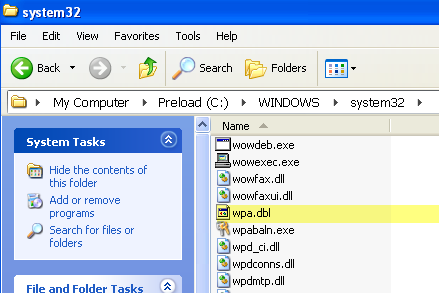
Copy this file to your external storage device and keep it handy. When you go to reinstall Windows, you’ll reach the point where you have to activate. Decline the activation and complete the installation.
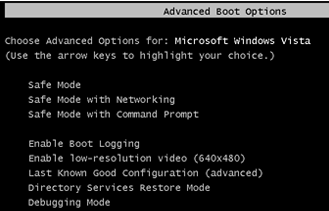
Now you’ll need to restart your computer in Safe Mode by pressing F8 on startup to get into the Advanced Boot Options menu.
Go to C:\Windows\System32 and you should see a file called WPA.DBL already there. Simply rename it to something like WPA.OLD and then copy your backup version of WPA.DBL to the current location.
Restart the computer and Windows XP should now be activated and working normally. Remember that this will only work if you use the WPA.DBL file from the same computer that Windows XP was originally activated on. If you install XP on a different machine and try to copy the WPA.DBL file there, it won’t activate.
Windows Vista, 7, 8
If you are running Windows Vista, 7 or higher, you won’t be able to simply copy one file in order to avoid the activation problem. There is a lot more information that is required, which makes it a lot more complicated.
Luckily, there is a freeware program called Advanced Tokens Manager that will make a copy of all the activation data for you and allow you to easily restore it later on.
Once you download it and unzip the files, go ahead and run the executable file. It doesn’t require any installation, so that’s nice. On the main screen, it will start detecting any valid Windows and Office products.
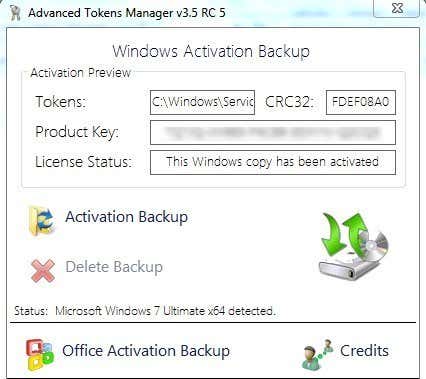
If all works out well, the status should detect your version of Windows and it should display the product key along with the license status. To backup the data, just click the Activation Backup button. A fairly large dialog will pop up that basically explains all the features and the requirements in order for the activation to properly work. Make sure you read it carefully.
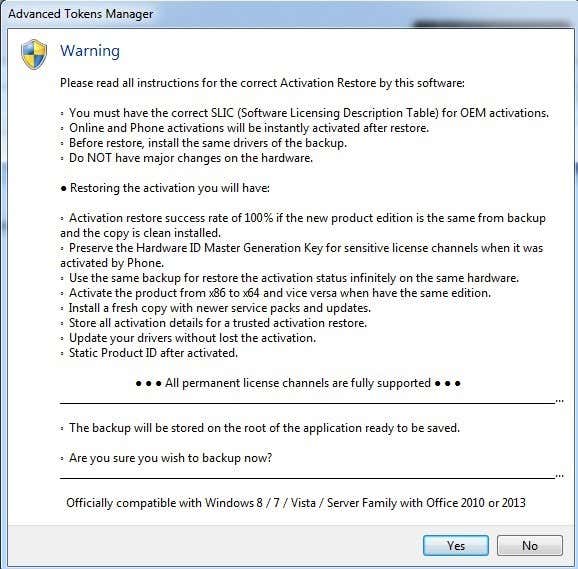
The main points here are what I had already mentioned above: don’t make major hardware changes when performing the restore and make sure the OS edition is the same. Go ahead and click Yes and the backup will be created in a new folder called Windows Activation Backup, located in the same folder as the EXE file.
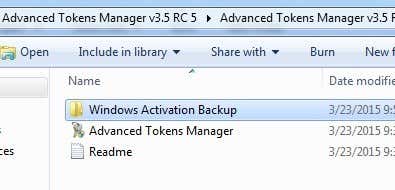
You’ll want to make sure to copy this folder to some external media before you reinstall Windows. Once you have loaded Windows, simply download and run the program again. Make sure to copy the backup folder into the same folder as the EXE file. The program will detect the backup folder and the button will change to Activation Restore.
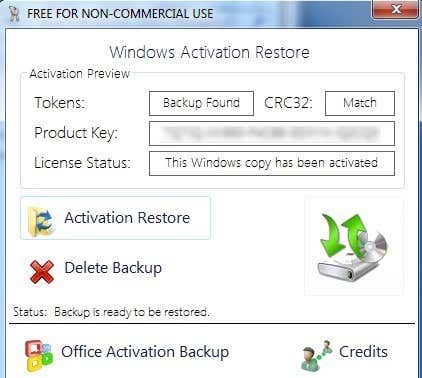
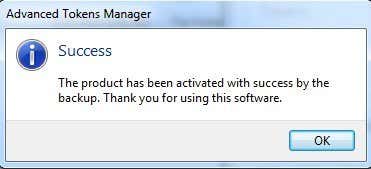
Click on that and when it asks you if you are sure, click Yes. Wait about a minute or so and if the program succeeds, you will get a Success message.
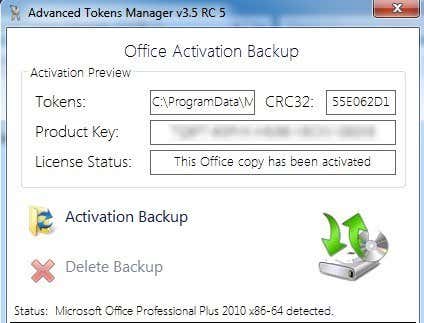
At this point, you should be good to go with an activated copy of Windows. Note that if you Microsoft Office installed also, you can click the Office Activation Backup button and it will allow you to back that data up separately.
The only issue with Advanced Tokens Manager is that it does not fully support Windows 8.1. It can save all the activation data, but it can only restore activation for Windows 8.1 copies that were activated by phone. If activated online, it won’t be able to restore properly.
The developers say they are in the process of trying to figure this out, but there has been no update to the program September 2013, so that’s not a good sign. Either way, it works well for Windows Vista, Windows 7 and Windows 8. If you have any questions, post a comment. Enjoy!